
The Perfect Desktop - Ubuntu 7.04 Feisty Fawn - Page 3
This tutorial exists for these OS versions
- Ubuntu 14.10 (Utopic Unicorn)
- Ubuntu 13.10 (Saucy Salamander)
- Ubuntu 14.04 LTS (Trusty Tahr)
- Ubuntu 13.04 (Raring Ringtail)
- Ubuntu 12.10 (Quantal Quetzal)
- Ubuntu 12.04 LTS (Precise Pangolin)
On this page
4 Edit Menus
By browsing the Applications menu, you will get an overview of what is already installed on the system. Unfortunately, it doesn't show all installed applications. For example, the BitTorrent client and the CD Player are already installed, but not shown in the menu. Therefore we will edit the menu now to make it list these two applications as well.
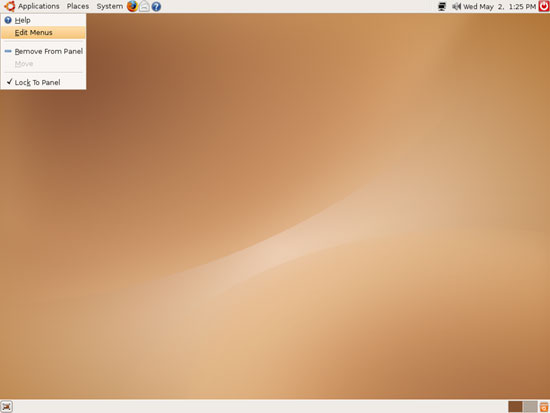
Right-click on Applications and select Edit Menus:
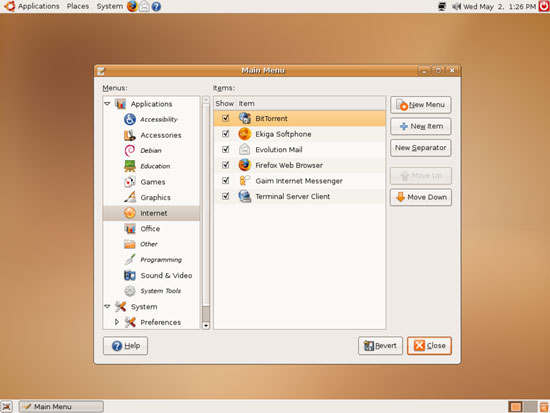
Go to the Internet submenu and enable BitTorrent:
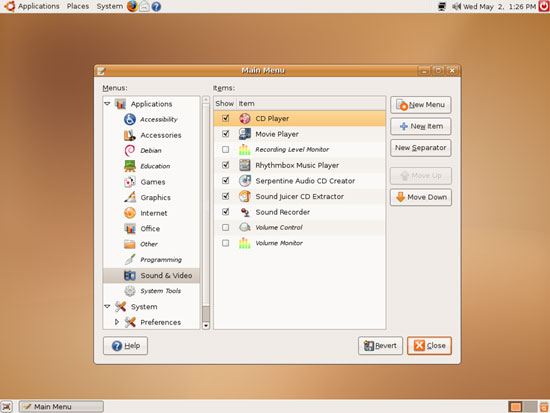
Then go to the Sound & Video submenu and enable CD Player. Afterwards, click on Close:
Now both items should be visible in the Applications menu (in their respective submenus).
5 Inventory Of What We Have So Far
Now lets browse all menus under Applications to see which of our needed applications are already installed:
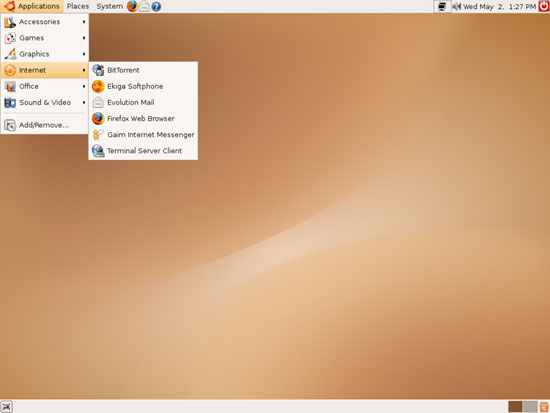
You should find the following situation ([x] marks an application that is already installed, where [ ] is an application that is missing):
Graphics:
[x] The GIMP
[x] F-Spot
[ ] Picasa
Internet:
[x] Firefox
[ ] Opera
[ ] Flash Player
[ ] gFTP
[ ] Thunderbird
[x] Evolution
[ ] aMule
[x] Bittorrent
[ ] Azureus
[x] Gaim
[ ] Skype
[ ] Google Earth
[ ] Xchat IRC
Office:
[x] OpenOffice Writer
[x] OpenOffice Calc
[ ] Adobe Reader
[ ] GnuCash
[ ] Scribus
Sound & Video:
[ ] Amarok
[ ] Audacity
[ ] Banshee
[ ] MPlayer
[x] Rhythmbox Music Player
[ ] gtkPod
[ ] XMMS
[ ] dvd::rip
[ ] Kino
[x] Sound Juicer CD Extractor
[ ] VLC Media Player
[ ] Real Player
[x] Totem
[ ] Xine
[ ] GnomeBaker
[ ] K3B
[ ] Multimedia-Codecs
Programming:
[ ] Nvu
[ ] Bluefish
[ ] Quanta Plus
Other:
[ ] VMware Server
[ ] TrueType fonts
[ ] Java
[ ] Read/Write support for NTFS partitions
So some applications are already on the system...





