How To Manage An iPod From A Linux Desktop With Amarok
Version 1.0
Author: Falko Timme
This article shows how you can use an iPod on a Linux desktop with Amarok. It covers how you can upload MP3 files from your desktop to your iPod, download MP3 files from your iPod to your desktop, and how you can delete files on the iPod. Normally, Apple's iTunes software is needed to manage an iPod, but iTunes is not available for Linux. Fortunately, there are Linux alternatives such as Amarok that can handle the task.
I do not issue any guarantee that this will work for you!
1 Preliminary Note
I have tested this with an iPod nano on a PCLinuxOS 2007 desktop where Amarok is installed by default. If Amarok isn't installed on your desktop, install it using your distribution's package manager. The usage of Amarok is the same, regardless of the distribution.
2 Plug In Your iPod
First plug in your iPod into your desktop system using the iPod USB cable. The iPod should be mounted automatically, and you should find an iPod icon on your desktop. On my PCLinuxOS 2007 desktop, I get asked what to do with the new medium - I select Open in New Window to make sure the iPod really gets mounted (I close the new window then). Depending on your distribution, your iPod might as well be mounted at once, without a question.
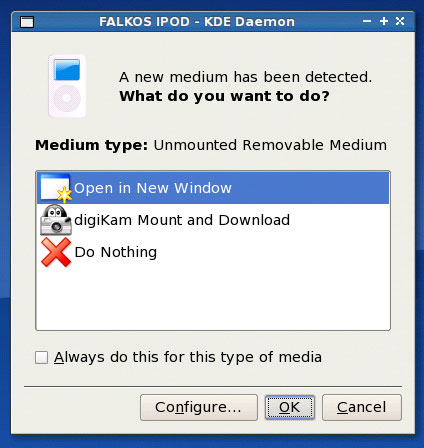
This is how it should look if your iPod got mounted:

3 Configure Amarok
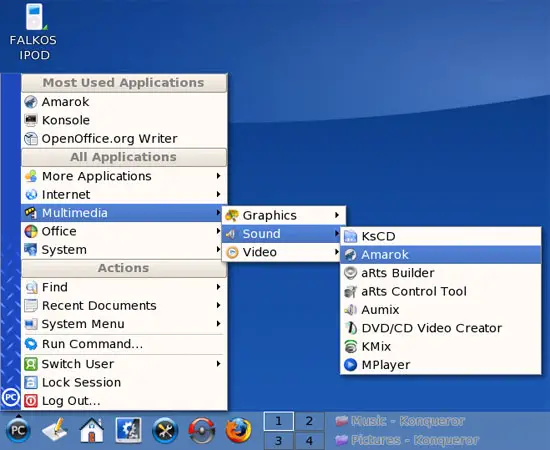
Now start Amarok (on PCLinuxOS 2007, it's under Multimedia > Sound > Amarok):
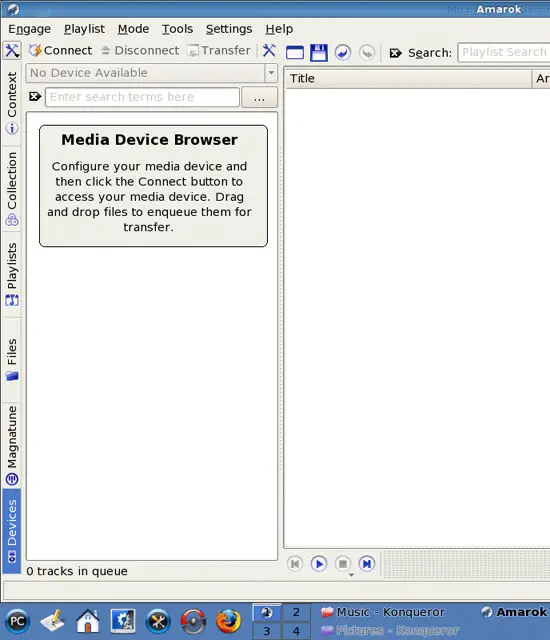
In Amarok, go to the Devices tab (in the bottom left corner). It should say Media Device Browser in the left window, and No Device Available in the greyed-out drop-down menu above it:
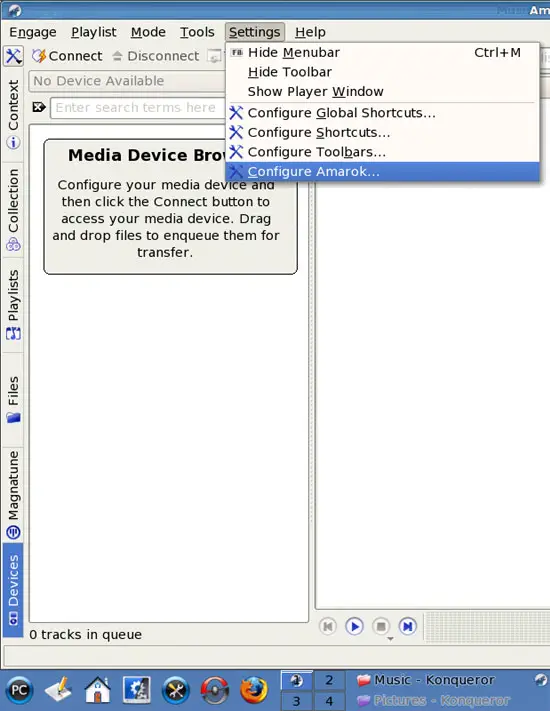
Now go to Settings > Configure Amarok...:
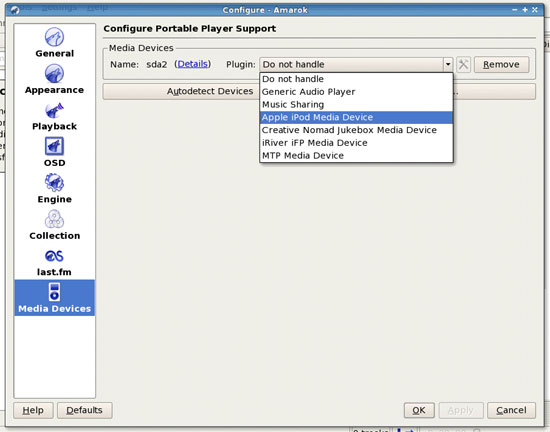
A new window opens. Select Media Devices in the left menu, then click on the drop-down menu that says Do not handle and select Apple iPod Media Device. Click on OK then:
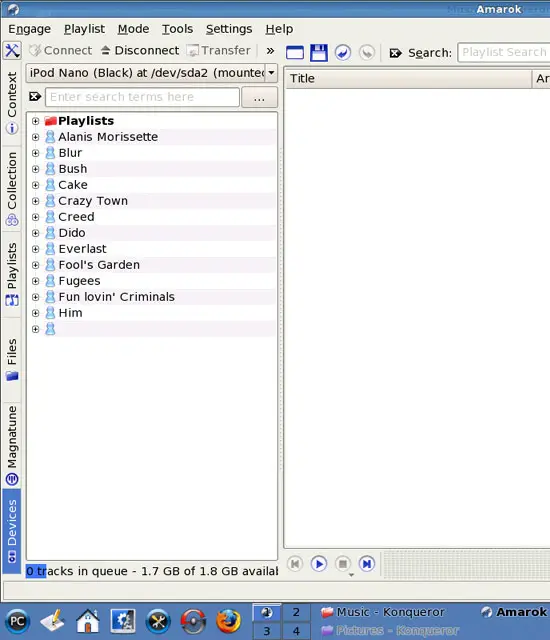
Back in Amarok's main window, the formerly greyed-out drop-down menu that said No Device Available should now list your iPod, and in the window below it you should now find the contents of your iPod: