
Installing A FreeBSD 7.0 DNS Server With BIND - Page 3
Choose [NO] for the anonymous FTP login:

Choose [NO] for the NFS server.

Choose [NO] again for the NFS client.

You will then be asked for system console customization so we will choose [NO].

Choose [YES] for the time zone.

Most systems don't use UTC, if not please choose [NO].

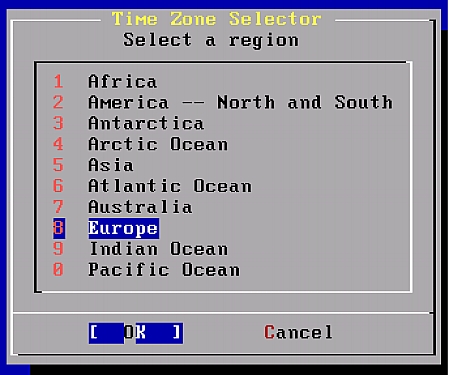
Time Zone, choose your region, highlight [OK] and press [ENTER].
Choose your country, highlight [OK] and press [ENTER].
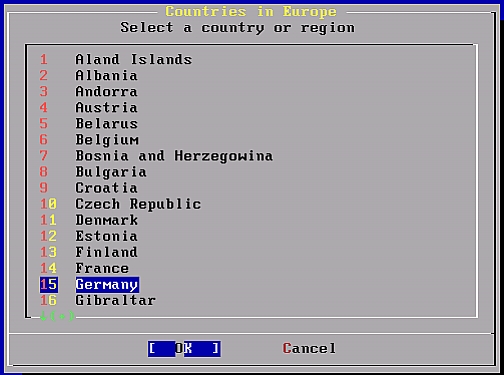
CEST was ok for me, so depending on your region go ahead with the following selection.

It a text based installation and we wont use any mouse here so I choose [NO].

Choose [NO] for application browsing.

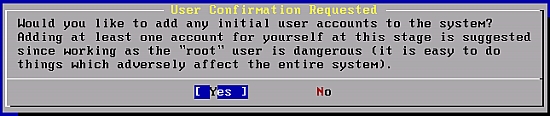
Choose [YES] for creating a new user.
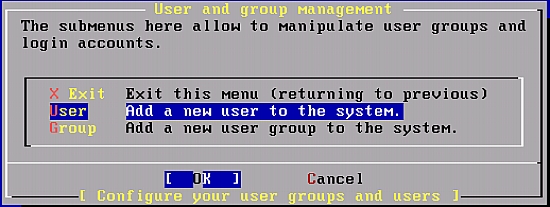
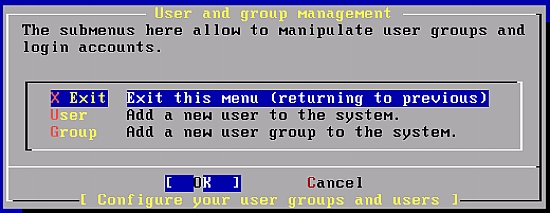
Scroll down to User, highlight [OK] and press [ENTER].
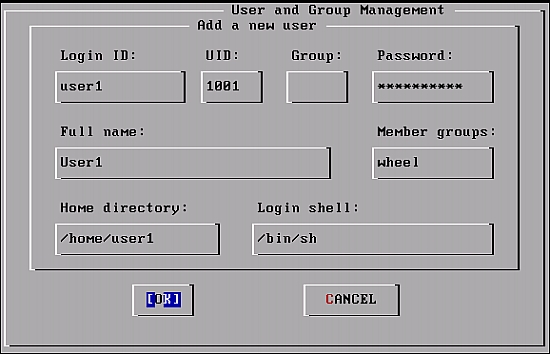
Type the username and TAB to type the password then the full name, we will then need to type wheel in the Member groups box so that this user will be able to login via SSH, when finished highlight [OK] and press [ENTER]:
You will then go back to the previous screen choose X Exit then highlight [OK] and press [ENTER].
Ok no we will configure the root password, so press [OK].
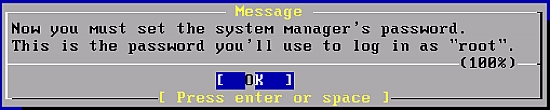
Type the new password and press [ENTER] to go and then Retype the new password again, then press [ENTER].

Choose [NO] for visiting the configuration menu.






