
The Perfect Desktop - Debian Etch (Debian 4.0) - Page 6
This tutorial exists for these OS versions
- Debian 6 (Squeeze)
- Debian 5 (Lenny)
- Fedora 8
- Debian 4 (Etch)
- Fedora 6
On this page
9 Update The System Again
Now it's a good time again to check for updates. To do this, we open a terminal (Applications > Accessories > Terminal).
In the terminal, we run
su
to become root. Afterwards, we run the following two commands:
apt-get update
apt-get upgrade
Afterwards, the system should be up-to-date.
10 Flash Player
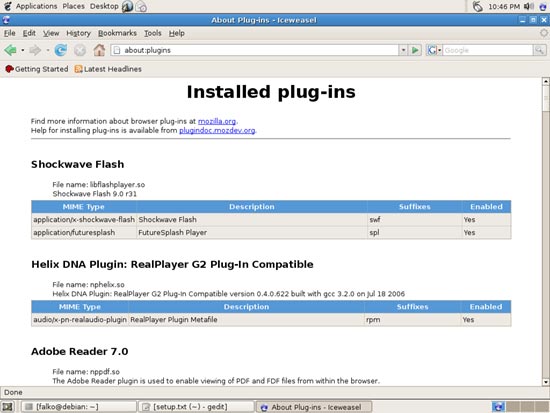
To see if the Flash plugin (which we installed with Automatix before) is working, start Iceweasel (Firefox). Then type about:plugins in the address bar. Iceweasel will then list all installed plugins, and it should list the Flash Player (version 9.0r31 which is the newest one at the time of this writing) among them:
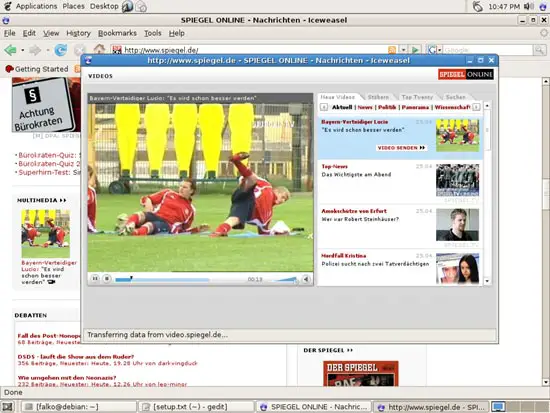
You can now open a web site of which you know that it uses Flash. For example, www.spiegel.de has video news in Flash. You should be able to see (and hear) the Flash movies:
Another web site that uses Flash movies is YouTube, for example.
11 Inventory (III)
Browse the Applications menu again and check what you've got installed so far. Your list should look like this now:
Graphics:
[x] The GIMP
[x] F-Spot
[x] Picasa
Internet:
[x] Iceweasel (Firefox)
[x] Opera
[x] Flash Player
[x] gFTP
[x] Icedove (Thunderbird)
[x] Evolution
[x] aMule
[x] Bittorrent
[x] Azureus
[x] Gaim
[x] Skype
[x] Google Earth
[x] Xchat IRC
Office:
[x] OpenOffice Writer
[x] OpenOffice Calc
[x] Adobe Reader
[x] GnuCash
[x] Scribus
Sound & Video:
[x] Amarok
[x] Audacity
[x] Banshee
[x] MPlayer
[x] Rhythmbox Music Player
[x] gtkPod
[x] XMMS
[x] dvd::rip
[x] Kino
[x] Sound Juicer CD Extractor
[x] VLC Media Player
[x] Real Player
[x] Totem
[x] Xine
[x] GnomeBaker
[x] K3B
[x] Multimedia-Codecs
Programming:
[ ] Nvu
[x] Bluefish
[x] Quanta Plus
Other:
[ ] VMware Server
[x] TrueType fonts
[x] Java
[x] Read/Write support for NTFS partitions





