
The Perfect Desktop - Debian Etch (Debian 4.0) - Page 3
This tutorial exists for these OS versions
- Debian 6 (Squeeze)
- Debian 5 (Lenny)
- Fedora 8
- Debian 4 (Etch)
- Fedora 6
On this page
3 Update The System
First we have to make sure that all packages on our new Debian system are up-to-date. To do this, we open a terminal (Applications > Accessories > Terminal):
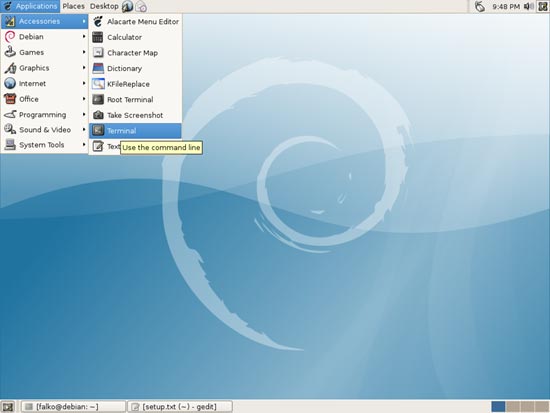
In the terminal, we run
su
to become root. Afterwards, we run the following two commands:
apt-get update
apt-get upgrade
Afterwards, the system should be up-to-date.
4 Inventory Of What We Have So Far
Now lets browse all menus under Applications to see which of our needed applications are already installed:
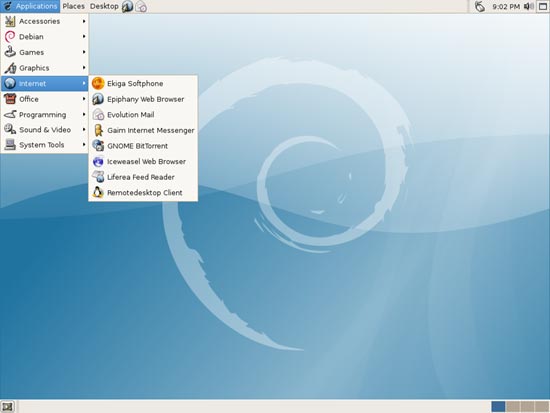
You should find the following situation ([x] marks an application that is already installed, where [ ] is an application that is missing):
Graphics:
[x] The GIMP
[ ] F-Spot
[ ] Picasa
Internet:
[x] Iceweasel (Firefox)
[ ] Opera
[ ] Flash Player
[ ] gFTP
[ ] Icedove (Thunderbird)
[x] Evolution
[ ] aMule
[x] Bittorrent
[ ] Azureus
[x] Gaim
[ ] Skype
[ ] Google Earth
[ ] Xchat IRC
Office:
[x] OpenOffice Writer
[x] OpenOffice Calc
[ ] Adobe Reader
[ ] GnuCash
[ ] Scribus
Sound & Video:
[ ] Amarok
[ ] Audacity
[ ] Banshee
[ ] MPlayer
[x] Rhythmbox Music Player
[ ] gtkPod
[ ] XMMS
[ ] dvd::rip
[ ] Kino
[x] Sound Juicer CD Extractor
[ ] VLC Media Player
[ ] Real Player
[x] Totem
[ ] Xine
[x] GnomeBaker
[ ] K3B
[ ] Multimedia-Codecs
Programming:
[ ] Nvu
[ ] Bluefish
[ ] Quanta Plus
Other:
[ ] VMware Server
[ ] TrueType fonts
[ ] Java
[ ] Read/Write support for NTFS partitions
So some applications are already on the system...





