Network Monitoring With ntop
ntop is a network traffic tools that shows network usage in a real time. One of the good things about this tool is that you can use a web browser to manage and navigate through ntop traffic information to better understand network status.
Also Ntop monitors and reports hosts traffic and supports these protocols:
- TCP/UDP/ICMP
- (R)ARP
- IPX
- DLC
- Decnet
- AppleTalk
- Netbios
- TCP/UDP
In this tutorial we'll install ntop 3.2 in CentOS 4.
Prerequisites
Ntop 3.2
LIBPCAP
GDBM
Links
http://dag.wieers.com/rpm/packages/ntop
http://rpmfind.net/linux/RPM/fedora/4/i386/glib-1.2.10-16.i386.html
Installation
1- Installing G-LIB:
rpm -ivh glib-1.2.10-16.i386.rpm
2- Installing ntop:
rpm -ivh ntop-3.2-1.el4.rf.i386.rpm
Running ntop
1- Initialize ntop:
ntop
That will initialize ntop and it will ask you to enter your username and password.
The default username: admin
Password: yourEnteredpassword
2- Start ntop service:
service ntop start
Log In To The Web Interface
ntop can be managed through a web interface. You can enter your server address in your web browser:
http://ServerIP:3000
https://ServerIP:3001
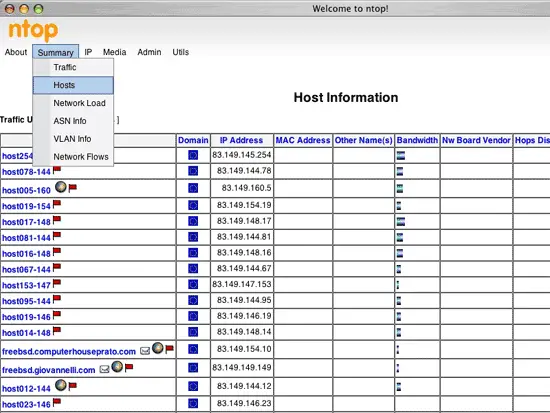
Now you can monitor your hosts and manage your ntop configuration.
Screenshot