
How To Compile A Kernel - The SuSE Way - Page 3
On this page
8 Configure The GRUB Boot Loader
Now we must configure our GRUB boot loader so that our new kernels gets booted when we restart the system. Instead of modifying /boot/grub/menu.lst directly, we can run
yast
to do it.
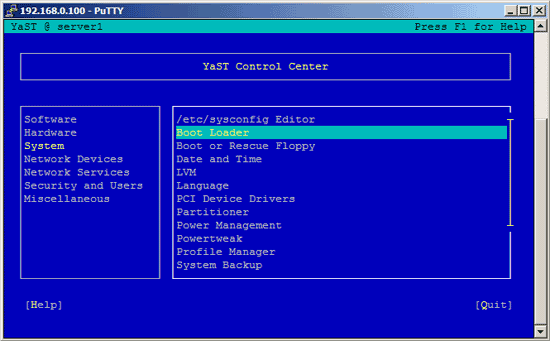
Go to System -> Boot Loader:
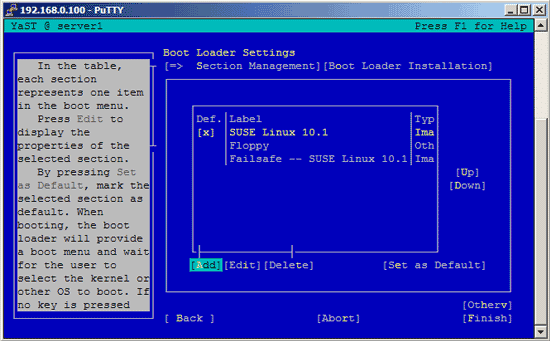
On the next screen you will see your existing GRUB records. Go to Add to add a new one:
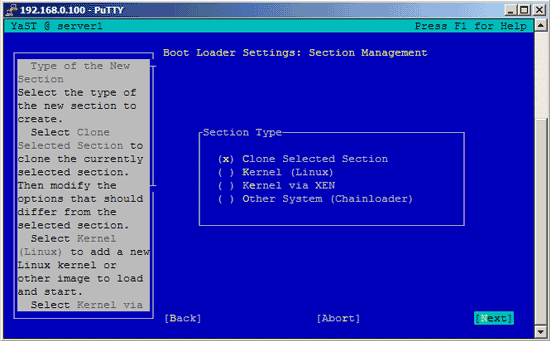
Select Clone Selected Section to clone one of the working GRUB records:
Enter a name for the new kernel, e.g. SUSE Linux 10.1 - 2.6.18.2, and go to Kernel -> Browse:
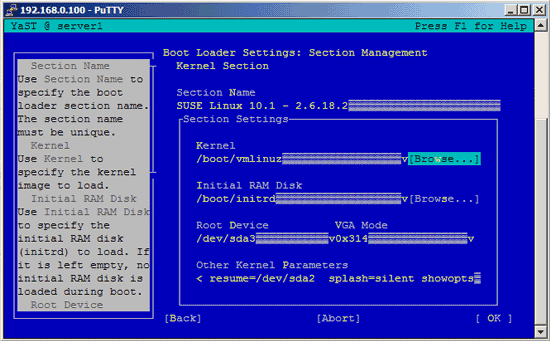
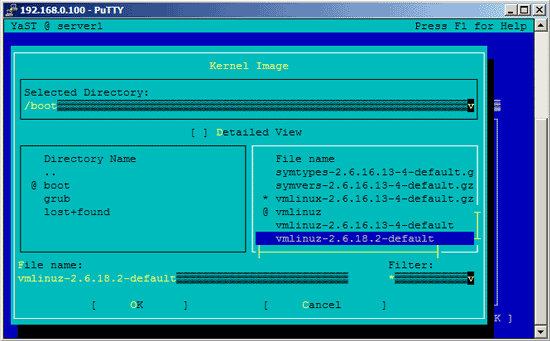
You will see the contents of the /boot directory where your new kernel is located. Select your new kernel which typically begins with vmlinuz (e.g. vmlinuz-2.6.18.2-default):
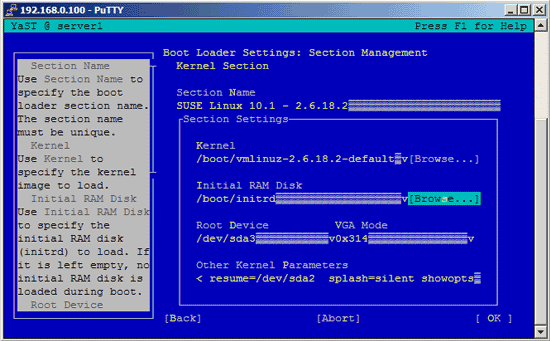
Next go to Initial RAM Disk -> Browse:
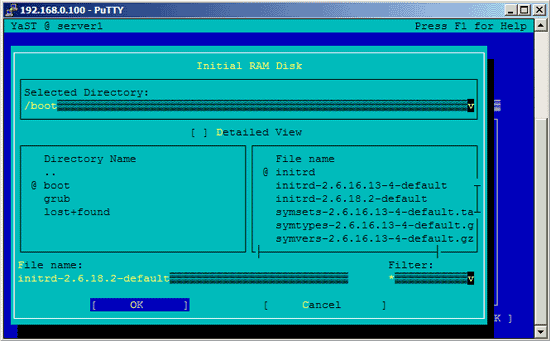
Again, you will see the contents of the /boot directory. Select the appropriate ramdisk for your new kernel which typically begins with initrd (e.g. initrd-2.6.18.2-default):
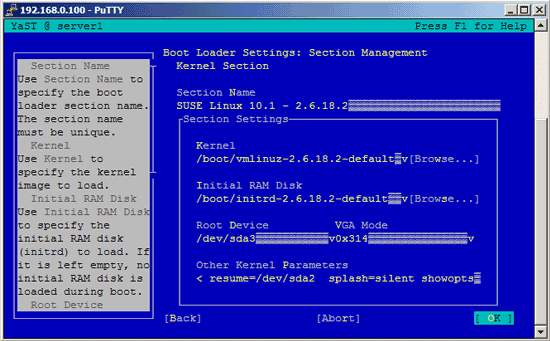
Back on the main screen, select OK:
You will see a new GRUB record for your new kernel. Mark it and hit Up until it is the first in the list:
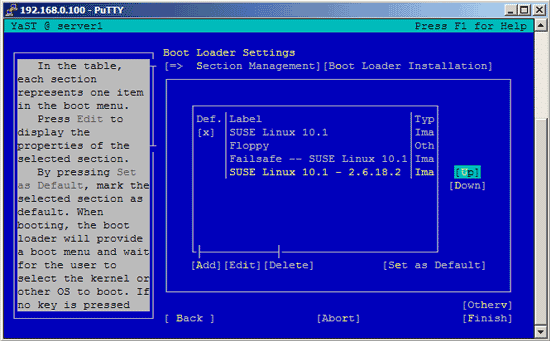
Then hit Set as Default to make the new kernel the default one:
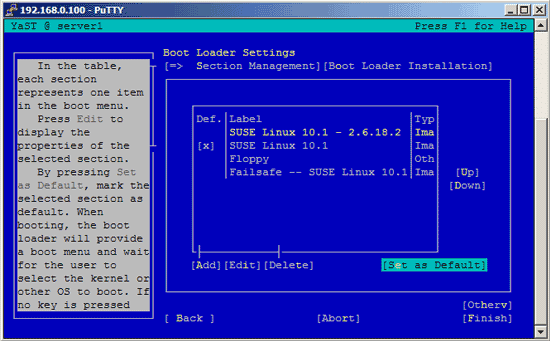
Hit Finish:
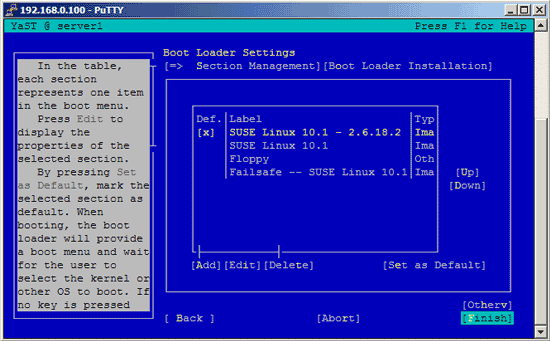
Select Quit to leave YaST:
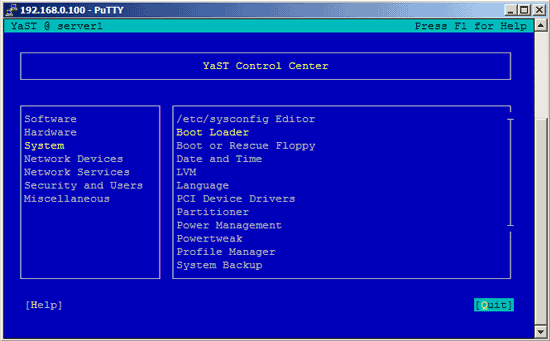
That's it. You can check /boot/grub/menu.lst now, you should find a new stanza for your new kernel there:
vi /boot/grub/menu.lst
# Modified by YaST2. Last modification on Wed Nov 15 14:37:56 CET 2006

color white/blue black/light-gray
default 0
timeout 8


title SUSE Linux 10.1 - 2.6.18.2
    root (hd0,0)
    kernel /vmlinuz-2.6.18.2-default root=/dev/sda3 vga=0x314    resume=/dev/sda2  splash=silent showopts
    initrd /initrd-2.6.18.2-default

###Don't change this comment - YaST2 identifier: Original name: linux###
title SUSE Linux 10.1
    root (hd0,0)
    kernel /vmlinuz root=/dev/sda3 vga=0x314    resume=/dev/sda2  splash=silent showopts
    initrd /initrd

###Don't change this comment - YaST2 identifier: Original name: floppy###
title Floppy
    chainloader (fd0)+1

###Don't change this comment - YaST2 identifier: Original name: failsafe###
title Failsafe -- SUSE Linux 10.1
    root (hd0,0)
    kernel /vmlinuz root=/dev/sda3 vga=normal showopts ide=nodma apm=off acpi=off noresume nosmp noapic maxcpus=0 edd=off 3
    initrd /initrd
|
(Instead of using YaST to configure GRUB, you could as well have added
title SUSE Linux 10.1 - 2.6.18.2
    root (hd0,0)
    kernel /vmlinuz-2.6.18.2-default root=/dev/sda3 vga=0x314    resume=/dev/sda2  splash=silent showopts
    initrd /initrd-2.6.18.2-default
|
as the first kernel stanza to /boot/grub/menu.lst using a command line editor like vi, joe, nano, etc. To find out about the correct kernel and ramdisk, you could have run
ls -l /boot
)
Now reboot the system:
shutdown -r now
If everything goes well, it should come up with the new kernel. You can check if it's really using your new kernel by running
uname -r
This should display something like
2.6.18.2-default
If the system doesn't start, restart it, and when you come to the GRUB boot loader menu, select your old kernel and start the system:

You can now try again to compile a working kernel. Don't forget to remove the stanza of the not-working kernel from /boot/grub/menu.lst.
9 Links
- OpenSuSE: http://www.opensuse.org
- The Linux Kernel Archives: http://www.kernel.org





