
How To Compile A Kernel - The SuSE Way - Page 2
5 Configure The Kernel
It's a good idea to use the configuration of your current working kernel as a basis for your new kernel. Therefore we copy the existing configuration to /usr/src/linux:
make mrproper
cp /boot/config-`uname -r` ./.config
Then we run
make menuconfig
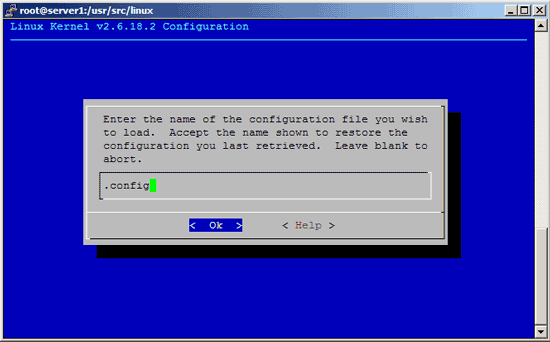
which brings up the kernel configuration menu. Go to Load an Alternate Configuration File and choose .config (which contains the configuration of your current working kernel) as the configuration file:

Then browse through the kernel configuration menu and make your choices. Make sure you specify a kernel version identification string under General Setup ---> (-default) Local version - append to kernel release. The standard string is -default so our kernel rpm package will be named kernel-2.6.18.2default-1.i386.rpm. You can leave the string as it is or specify a different one which helps you identify the kernel (e.g. -custom or whatever you like).
I will use the string -default in this tutorial.
Please note: After you have installed kernel-2.6.18.2default-1.i386.rpm and decide to compile another 2.6.18.2 kernel, it is important to use a different version string, e.g. -default1, -default2, etc., because otherwise you can't install your new kernel because rpm complains that kernel-2.6.18.2default-1.i386.rpm is already installed!
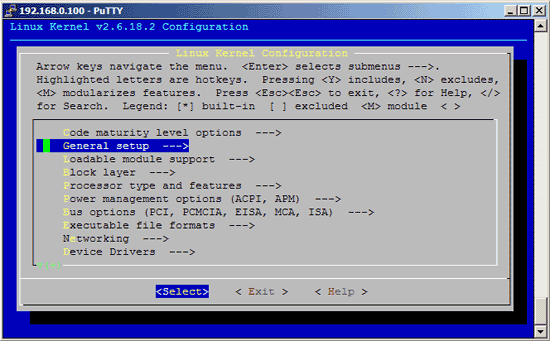
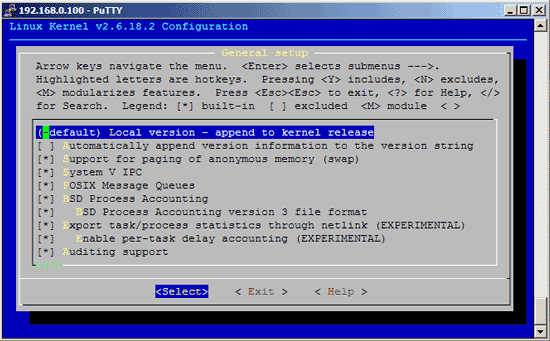
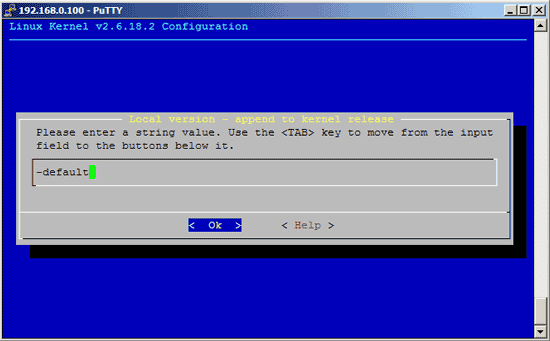
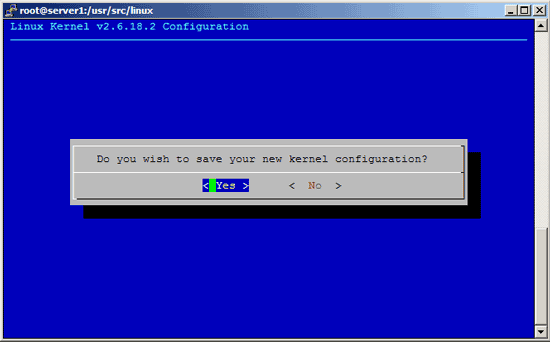
When you are finished and select Exit, answer the following question (Do you wish to save your new kernel configuration?) with Yes:
6 Build The Kernel
To build the kernel, simply execute this command:
make rpm
Now be patient, the kernel compilation can take some hours, depending on your kernel configuration and your processor speed.
7 Install The New Kernel
After the successful kernel build, a src.rpm and an rpm package have been created. The src.rpm package can be found in the /usr/src/packages/SRPMS/ directory, you can find out about its name by running
ls -l /usr/src/packages/SRPMS/
On my system it was called kernel-2.6.18.2default-1.src.rpm.
The rpm package can be found in /usr/src/packages/RPMS/i386/, /usr/src/packages/RPMS/i586/, /usr/src/packages/RPMS/i686/, /usr/src/packages/RPMS/x86_64/, etc., depending on your architecture. On my system it was located in /usr/src/packages/RPMS/i386/, and by running
ls -l /usr/src/packages/RPMS/i386/
I found out that its name was kernel-2.6.18.2default-1.i386.rpm.
Now we can install our kernel rpm package like this:
cd /usr/src/packages/RPMS/i386/
rpm -ivh kernel-2.6.18.2default-1.i386.rpm
(You can now even transfer the kernel rpm package to other SuSE systems and install it there exactly the same way, which means you don't have to compile the kernel there again.)
Next we create a ramdisk for our new kernel, because otherwise the system will most likely not boot our new kernel:
mkinitrd
(Actually this command will create new ramdisks for all installed kernels which is fine.)





