
Virtualization With XenServer 5.5.0 - Page 3
On this page
3 Installing XenCenter Administrator Console
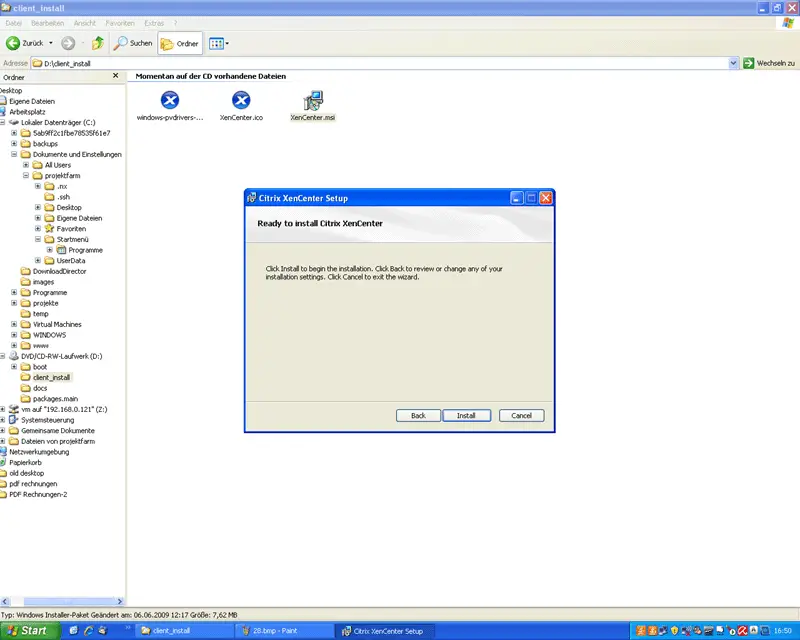
To create, run, and manage virtual machines, we can use the XenCenter administrator console which is a desktop application for Windows systems (please note that the .NET 2.0 framework must be installed on the Windows system) that connects to the XenServer host. The XenCenter installation file is in the folder client_install of the first XenServer CD (the one that contains FREE_XenServer-5.5.0-install-cd.iso). Insert that CD into a Windows system, navigate to that folder in Windows Explorer, and start the installation wizard:
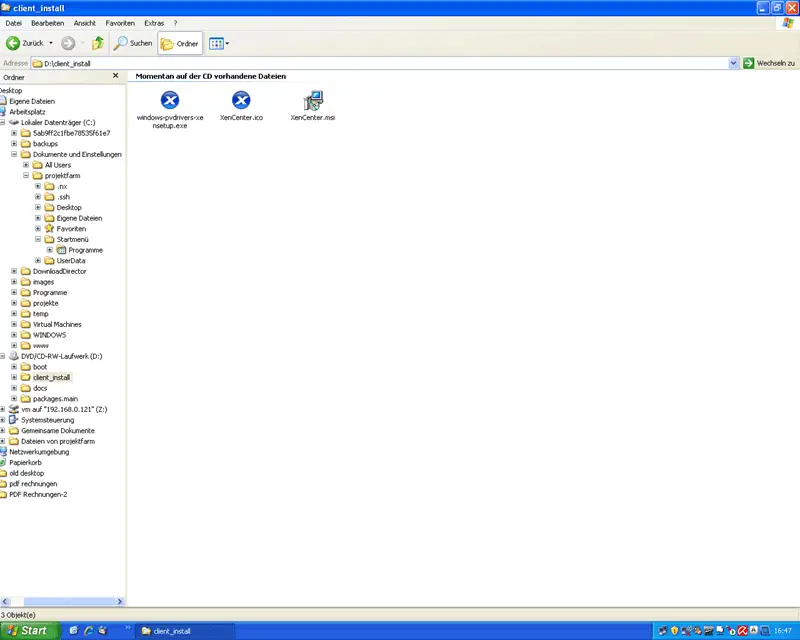
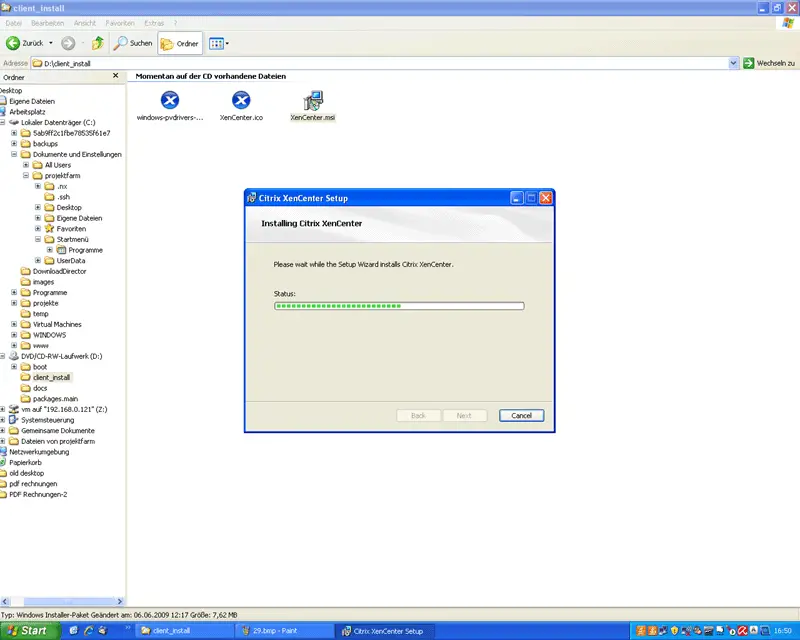
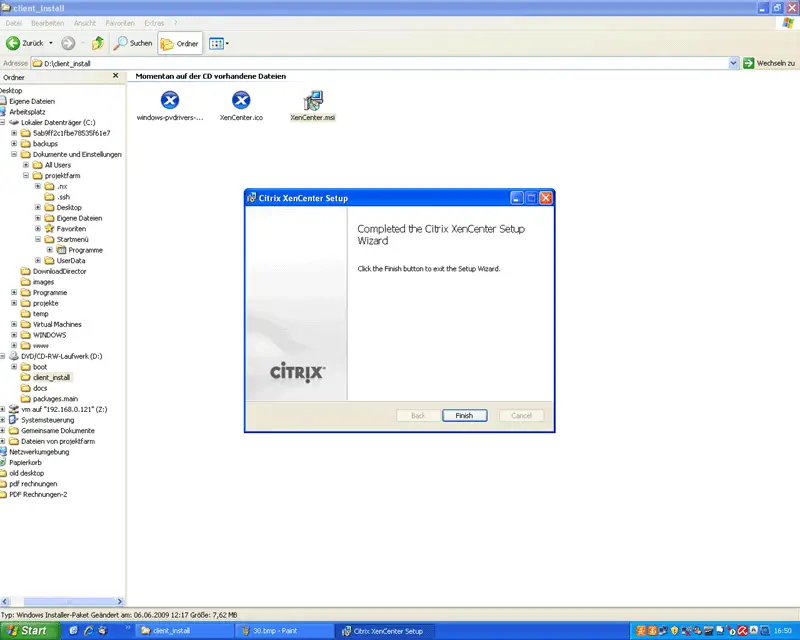
The installation wizard will guide you through the installation:
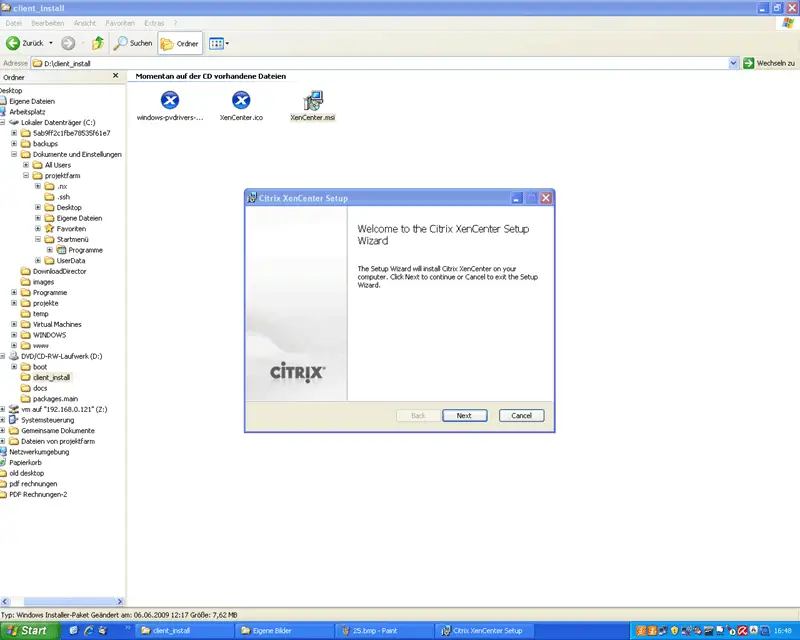
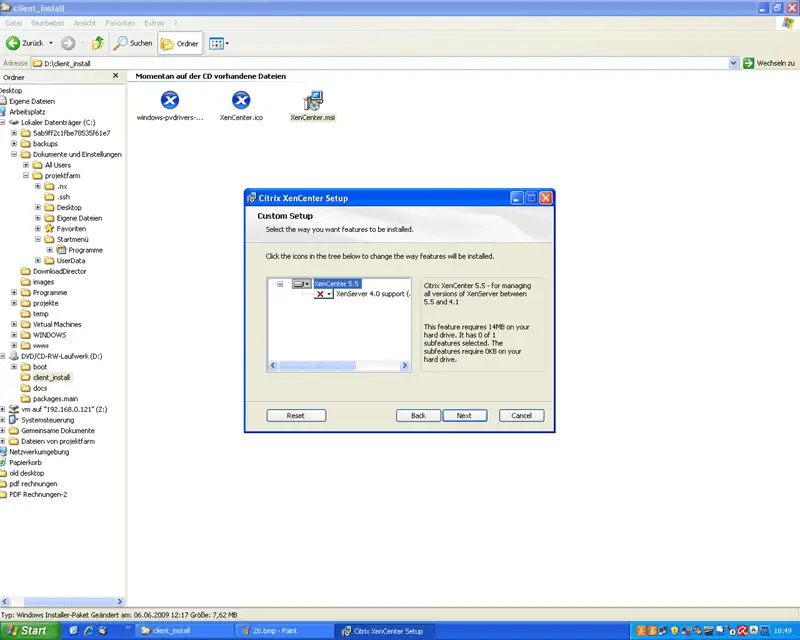
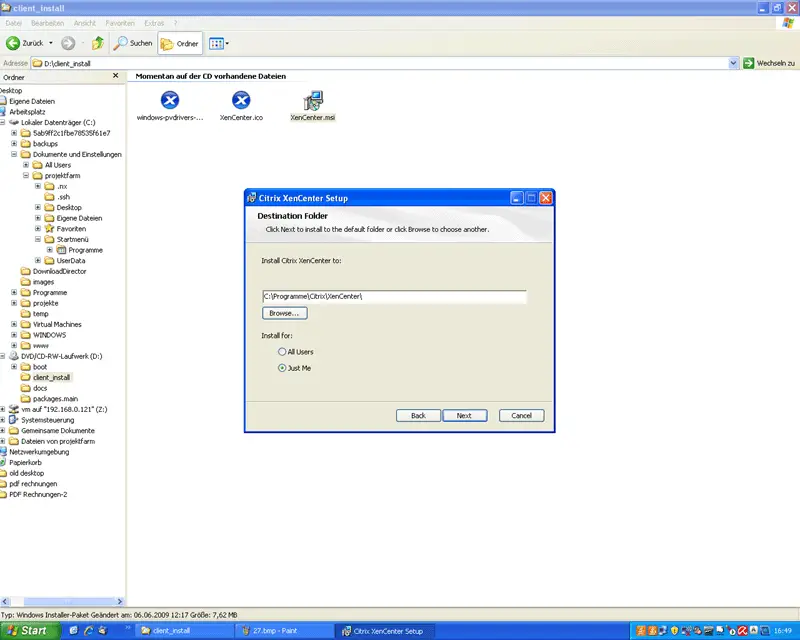
When you start XenCenter for the first time, you will be asked if you want XenCenter to periodically check for updates. I select Yes here, but of course, that's up to you:
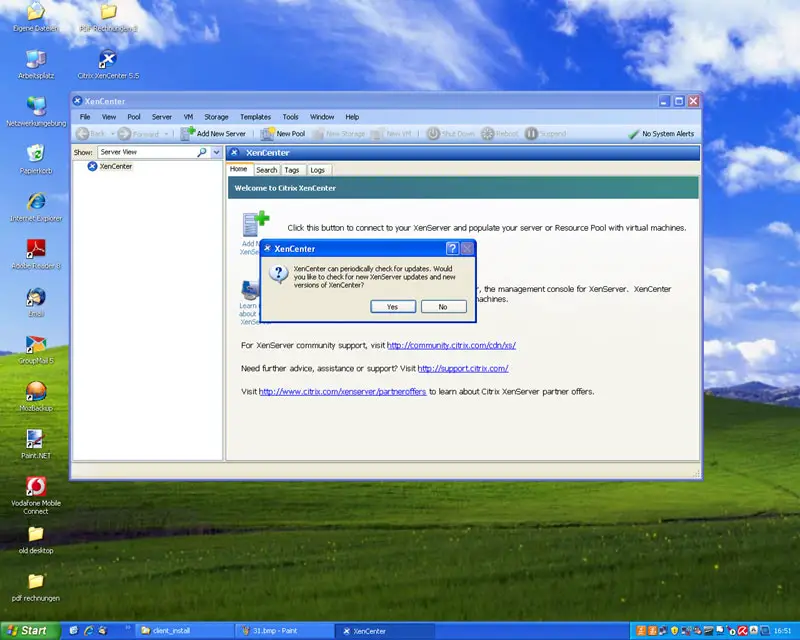
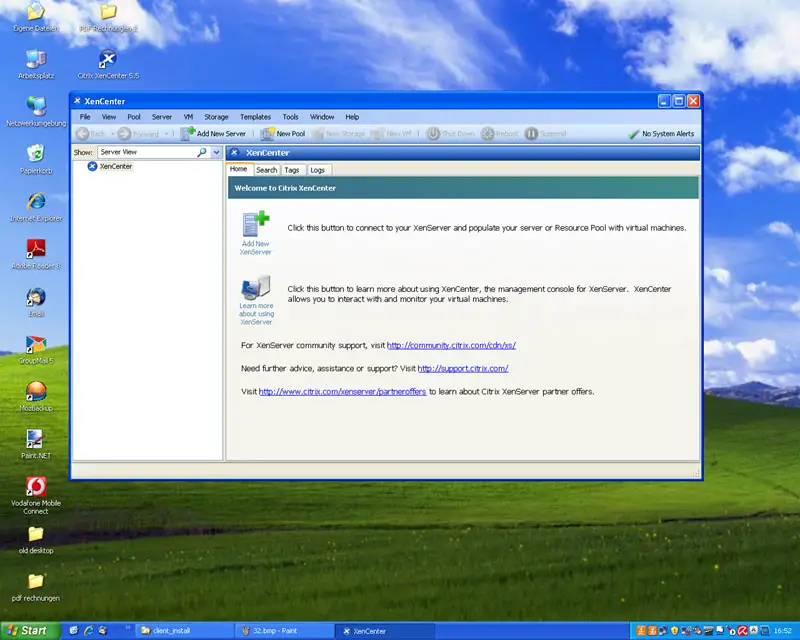
This is how the XenCenter looks. To connect to the XenServer host, click on Add New XenServer...
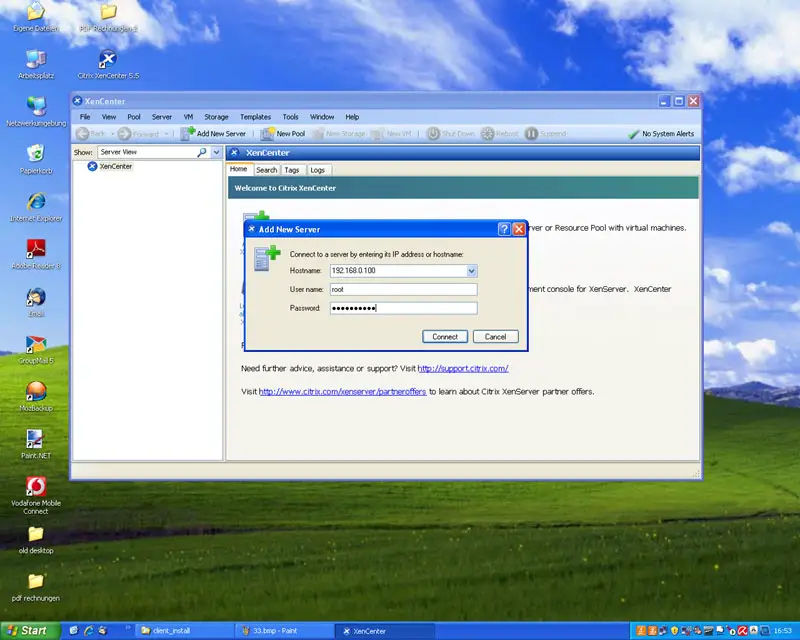
... and enter the hostname/IP address, the user name (root) and the root password:
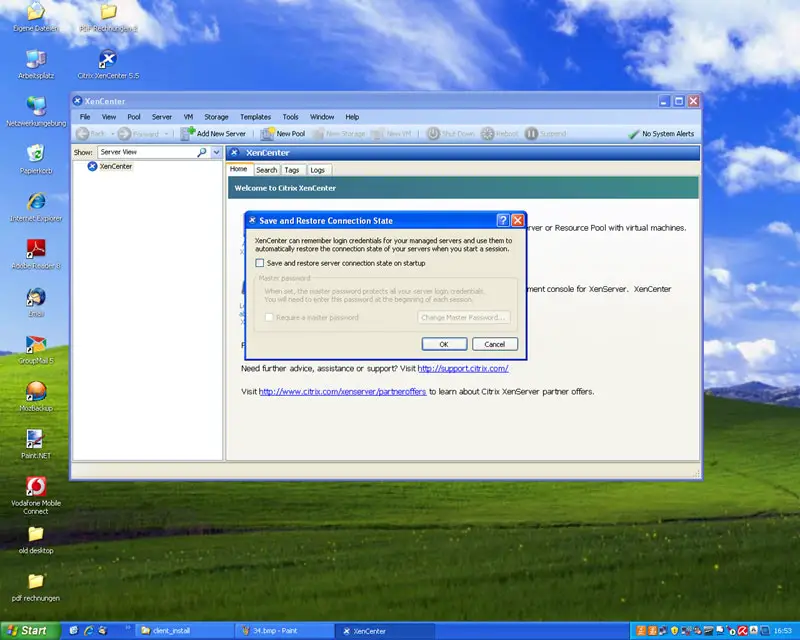
If you want you can tell XenCenter to restore the connection to the XenServer host at each startup:
After the connection has been established, you can manage virtual machines on the Xen Server host.
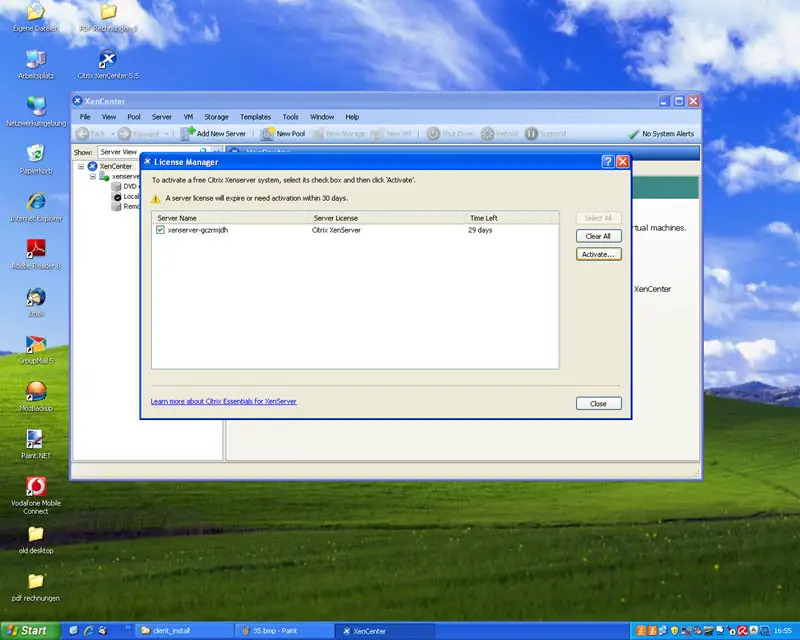
You should see the following window after the connection to the XenServer host has been established. Select your XenServer and click on Activate to receive a free license for your XenServer:
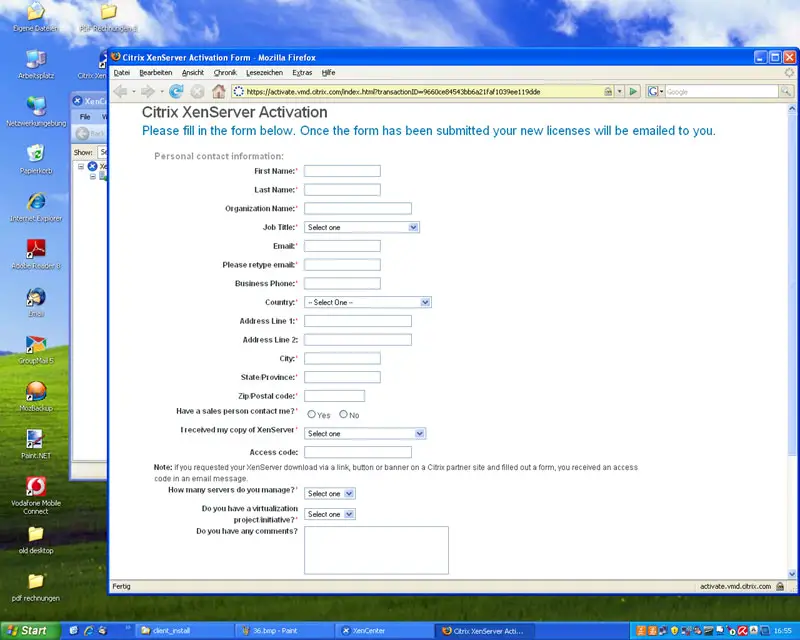
A browser will open a load a form. Fill out that form, and you will receive your free XenServer license per email:
On the XenServer, you can enter the license under XenServer Details and Licensing.





