
Virtual Users And Domains With Postfix, MailScanner, Mailwatch & MySQL On CentOS 5.1 - Page 3
8 Cronjobs
8.1 MailScanner Quarantine
vi /etc/cron.daily/clean.quarantine
Make sure that it's disabled - the corresponding line should look like this:
$disabled = 1;
8.2 Mailwatch Quarantine
vi /tmp/mailwatch-1.0.4/tools/db_clean.php
Change the first line that it looks like this:
#!/usr/bin/php -q
cp /tmp/mailwatch-1.0.4/tools/quarantine_maint.php /usr/local/bin/
cp /tmp/mailwatch-1.0.4/tools/db_clean.php /usr/local/bin/
chmod +x /usr/local/bin/quarantine_maint.php /usr/local/bin/db_clean.php
echo "/usr/local/bin/quarantine_maint.php --clean" > /etc/cron.daily/mailwatch_quarantine_maint.sh
echo "/usr/local/bin/db_clean.php" > /etc/cron.daily/mailwatch_db_clean.sh
chmod +x /etc/cron.daily/mailwatch*
8.3 Mail Queue Watcher
First copy the mail queue watcher script.
cp /tmp/mailwatch-1.0.4/mailq.php /usr/local/bin/
Afterwards we create a new cronjob.
crontab -e
Add the following line:
0-59 * * * * /usr/local/bin/mailq.php
9 Quarantine Release Fix
In order that a released email is not checked again (it would be quarantined again) we have to add/modify some rules.
9.1 WhiteList SQL Database
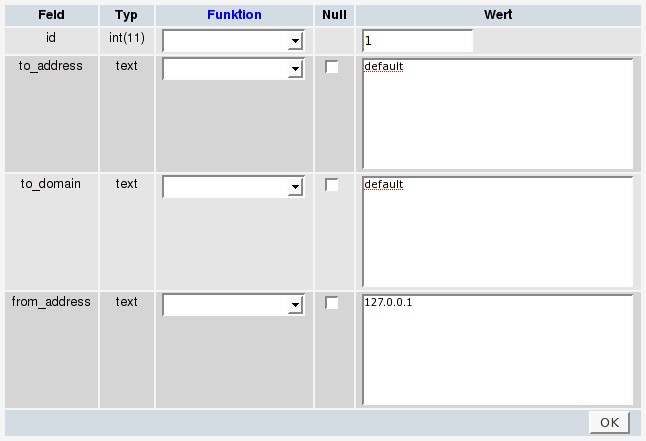
Connect to phpmyadmin (%server_ip%/phpmyadmin) and log in as mailwatch. Afterwards select the database "mailscanner" and then the table "whitelist". Create a new record:
to_address = default
to_domain = default
from_address = 127.0.0.1

9.2 MailScanner Rules
Note that the entries in all lines of the following files have to be separated with tabs!
cd /etc/MailScanner/
touch filename.rules filetype.rules filename.rules.allowall.conf filetype.rules.allowall.conf rules/content.scanning.rules
vi filename.rules
From:          127.0.0.1       /etc/MailScanner/filename.rules.allowall.conf
FromOrTo:      default         /etc/MailScanner/filename.rules.conf
vi filetype.rules
From:          127.0.0.1       /etc/MailScanner/filetype.rules.allowall.conf
FromOrTo:      default         /etc/MailScanner/filetype.rules.conf
vi filename.rules.allowall.conf
allow .* - -
vi filetype.rules.allowall.conf
allow .* - -
vi rules/content.scanning.rules
From:           127.0.0.1      no
FromOrTo:       default        yes
Now adjust the permissions for the quarantine directory.
chown -R postfix:apache /var/spool/MailScanner/quarantine/
chmod g+rws /var/spool/MailScanner/quarantine/
Note: The needed MailScanner settings were already included in step 4.
10 Start
chkconfig --level 2345 MailScanner on
service MailScanner start && tail -f /var/log/maillog
You should see lines like the following in the output:
Mar 6 07:33:21 server1 MailScanner[8594]: Config: calling custom init function SQLBlacklist
Mar 6 07:33:21 server1 MailScanner[8594]: Starting up SQL Blacklist
Mar 6 07:33:21 server1 MailScanner[8594]: Read 0 blacklist entries
Mar 6 07:33:21 server1 MailScanner[8594]: Config: calling custom init function MailWatchLogging
Mar 6 07:33:21 server1 MailScanner[8594]: Started SQL Logging child
Mar 6 07:33:21 server1 MailScanner[8594]: Config: calling custom init function SQLWhitelist
Mar 6 07:33:21 server1 MailScanner[8594]: Starting up SQL Whitelist
Mar 6 07:33:21 server1 MailScanner[8594]: Read 1 whitelist entries
11 Remaining Configuration
https://www.howtoforge.com/virtual-users-and-domains-postfix-courier-mysql-centos5.1 from step 14 till the end.
Keep in mind that the commands to start, stop or restart postfix have changed!
To start MailScanner & Postfix:
service MailScanner start
To restart MailScanner & Postfix:
service MailScanner restart
To stop MailScanner & Postfix:
service MailScanner stop
12 Mailwatch Webinterface
Now you can access the mailwatch webinterface via http://mailwatch.example.com. Log in with the username & password that you created in step 7.4 .
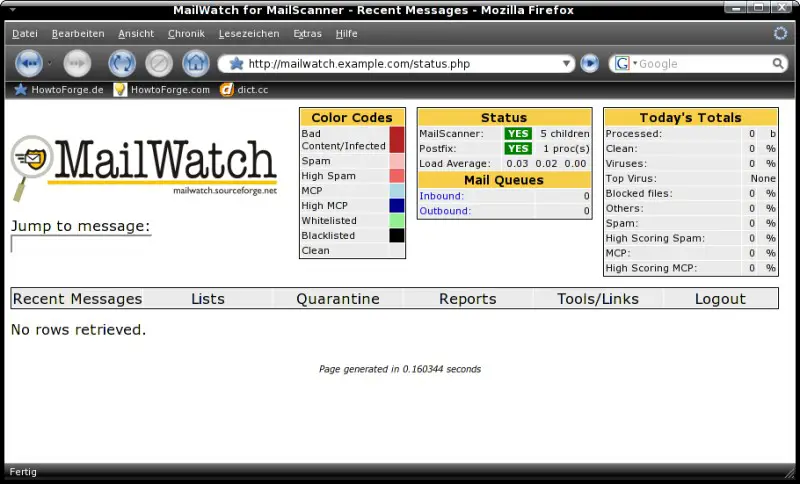
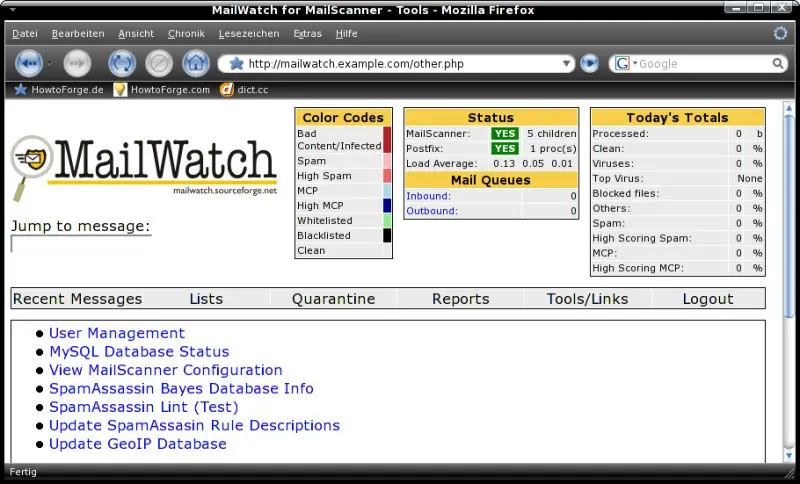
First you should update the SpamAssassin rule descriptions and the GeoIP database. You'll find both options when you click on the "Tools/Links" button.
13 Links
- CentOS: http://www.centos.org/
- MailScanner: http://www.mailscanner.info
- Mailwatch: http://mailwatch.sourceforge.net
VM
The attached VM is configured as follows.
- IP: 192.168.0.110
- Gateway: 192.168.0.2
- All passwords: howtoforge
- Mailwatch web admin: olli





