
Protect Your Files With TrueCrypt 5.1a On Debian Etch (GNOME) - Page 2
On this page
6 TrueCrypt Group
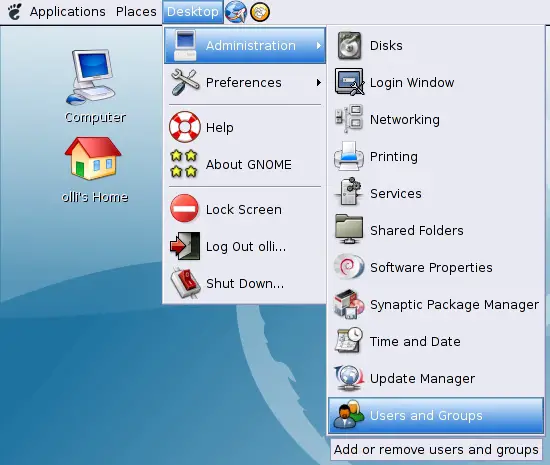
First we have to create a group that we'll use within the sudo configuration in the next step. All users that belong to this group will be able to use TrueCrypt at full volume. The settings for users and groups are available in the GNOME desktop menu.
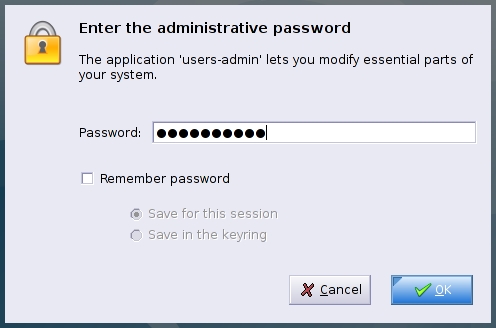
Enter the root password.
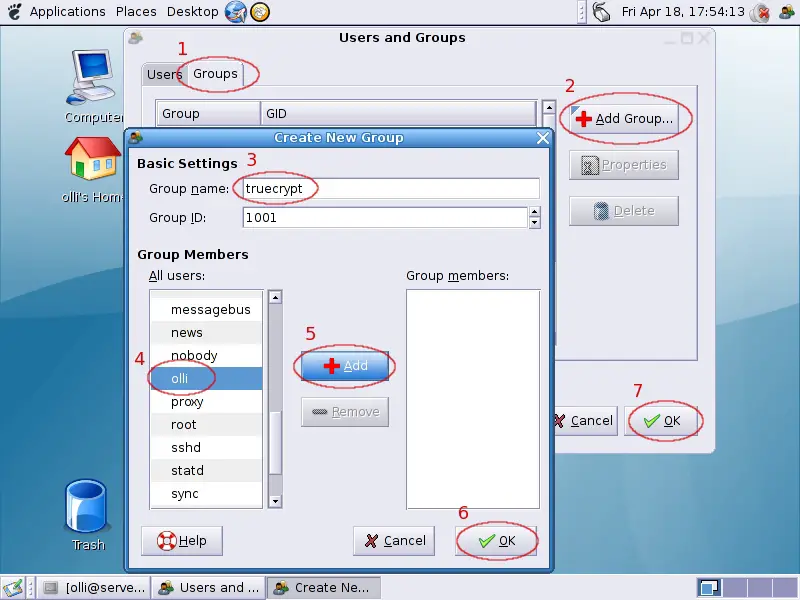
Switch to the "Groups"-tab and click on "Add Group". Enter "truecrypt" as name for the new group and add all users that shall be allowed to use TrueCrypt to the group.
7 Sudo
We have to adjust the sudo configuration to make sure that all members of the group "truecrypt" are allowed to use it (needed to mount crypted files/devices). Open the sudo configuration (root privileges needed) via:
visudo
Add the following line to the file ...
%truecrypt ALL=(root) NOPASSWD:/usr/local/bin/truecrypt
... and save the changes (CTRL+X respectively STRG+X for German users).
8 GNOME Launcher
Let's create a launcher in the GNOME menu to ease the access to TrueCrypt (root privileges needed).
vi /usr/share/applications/truecrypt.desktop
The content should look like this:
[Desktop Entry]
Encoding=UTF-8
Name=TrueCrypt
Name[de]=TrueCrypt
Name[en_CA]=TrueCrypt
Name[en_GB]=TrueCrypt
Comment=TrueCrypt v5.1a
Comment[de]=TrueCrypt v5.1a
Comment[en_CA]=TrueCrypt v5.1a
Comment[en_GB]=TrueCrypt v5.1a
Exec=truecrypt
Icon=/usr/share/icons/Nuvola/scalable/stock/gtk-dialog-authentication.svg
Terminal=false
Type=Application
Categories=GNOME;Application;System;
StartupNotify=true
9 Access TrueCrypt
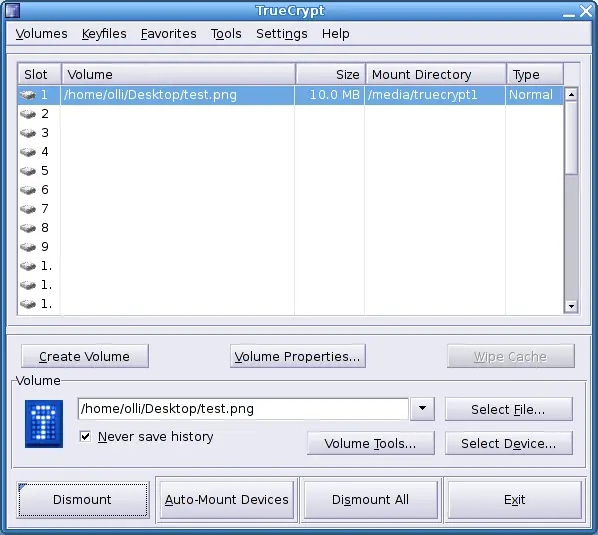
You can now use the launcher to access the TrueCrypt gui. Please note that it's also possible to use TrueCrypt via the command line.
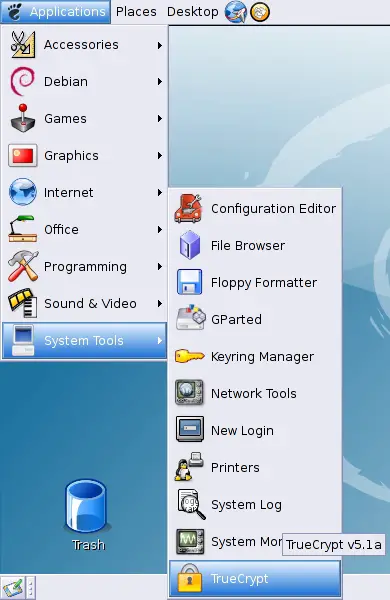
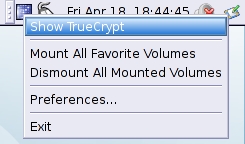
Additionally you'll see a TrueCrypt icon in the upper panel (even if you close the gui) where you can show/hide the gui, mount/dismount volumes and adjust a few settings.
Please have a look at the user manual on your desktop to find out how to use TrueCrypt.
10 Links
Debian: http://www.debian.org/
TrueCrypt: http://www.truecrypt.org/





