
Preventing MySQL Injection Attacks With GreenSQL On Debian Etch
Version 1.0
Author: Falko Timme
GreenSQL (or greensql-fw) is a firewall for MySQL databases that filters SQL injection attacks. It works as a reverse proxy, i.e., it takes the SQL queries, checks them, passes them on to the MySQL database and delivers back the result from the MySQL database. It comes with a web interface (called greensql-console) so that you can manage GreenSQL through a web browser. This guide shows how you can install GreenSQL and its web interface on a Debian Etch server.
I do not issue any guarantee that this will work for you!
1 Preliminary Note
I have tested this on a Debian Etch server where MySQL and Apache are already installed. I will use the virtual host www.example.com with the document root /var/www/web1/web to install the GreenSQL web interface.
2 Installing greensql-fw
The GreenSQL project provides binary packages for Debian Etch on http://www.greensql.net/public/releases/Debian_Etch/ (you can find packages for other distributions on http://www.greensql.net/public/releases/). Download and install the latest .deb package like this:
cd /tmp
wget http://www.greensql.net/public/releases/Debian_Etch/i386/greensql-fw_0.9.2_i386.deb
dpkg -i greensql-fw_0.9.2_i386.deb
(This is for an i386 system.)
You will see the following questions:
What is the name of the server used to store GreenSQL configuration db (MySQL server)? <-- localhost
What is the database name for the GreenSQL configuration? <-- greendb
Would you like to set up the database and tables automatically? <-- Yes
What is the username of the MySQL administrator? <-- root
Enter the MySQL administrator password <-- yourrootsqlpassword (replace this with your root MySQL password)
Confirm this password <-- yourrootsqlpassword (replace this with your root MySQL password)
What is the GreenSQL db username? <-- green
What is the GreenSQL user password? <-- greensqlpassword (replace this with a password of your choice for the green MySQL user)
After the installation, greensql-fw will run on 127.0.0.1 on the port 3305 (the default MySQL port is 3306). You can check that by running
netstat -tap | grep greensql
server1:~# netstat -tap | grep greensql
tcp        0      0 localhost.localdom:3305 *:*                     LISTEN     4499/greensql-fw
server1:~#
To test if greensql-fw is working ok, you can try to connect to MySQL through the GreenSQL proxy:
mysql -h 127.0.0.1 -P 3305 -u root -p
Type in your MySQL root password, and you should be logged in. greensql-fw is now ready to be used.
If you want your web applications to connect to MySQL through greensql-fw, you must change their MySQL settings. For example, if you have a PHP application with the following line in its configuration file (e.g. config.php)...
[...]
$link = mysql_connect('localhost', 'mysql_user', 'mysql_password');
[...]
|
... change it to
[...]
$link = mysql_connect('127.0.0.1:3305', 'mysql_user', 'mysql_password');
[...]
|
(It is important that you connect to 127.0.0.1 instead of localhost because greensql-fw supports TCP connections, but not Unix sockets!)
3 Installing greensql-console
The GreenSQL web interface (greensql-console) can be downloaded from http://sourceforge.net/project/showfiles.php?group_id=199511&package_id=236915. To install it in /var/www/web1/web, we proceed as follows:
cd /var/www/web1/web
wget http://heanet.dl.sourceforge.net/sourceforge/greensql/greensql-console-0.4.2.tar.gz
tar xvfz greensql-console-0.4.2.tar.gz
This creates the subdirectory greensql-console in /var/www/web1/web. Next we must adjust the greensql-console configuration:
cd greensql-console
vi config.php
In config.php, make sure that you fill in the correct password for the green MySQL user (in the line $db_pass):
<? # Uncomment the following line to switch to demo version #$demo_version = 1; # greensql version $version = "0.4.0"; # MySQL Database IP address $db_host = "127.0.0.1"; #MySQL Database Port Value. $db_port = 3306; # MySQL database name used to store greensql confiuration and alerts $db_name = "greendb"; # MySQL database user and password $db_user = "green"; $db_pass = "greensqlpassword"; # If you run greensql-fw service on the same computer you can specify # location of it's log file. It will be visible as part of the console. $log_file = "/var/log/greensql.log"; # Number of lines to show when viewing log file. $num_log_lines = 200; # Generated web pages cache $cache_dir = "templates_c"; ?> |
Then make the templates_c/ directory world-writable:
chmod 777 templates_c/
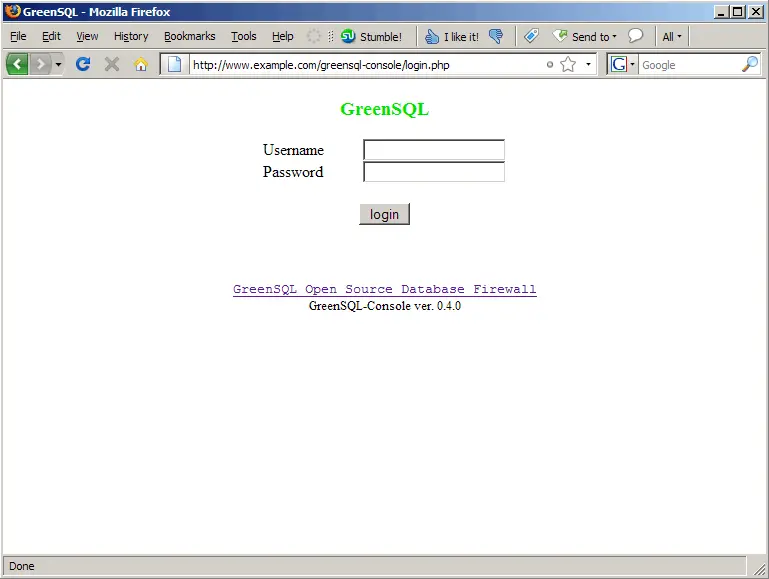
Open a browser and go to http://www.example.com/greensql-console. Log in with the username admin and the password pwd:
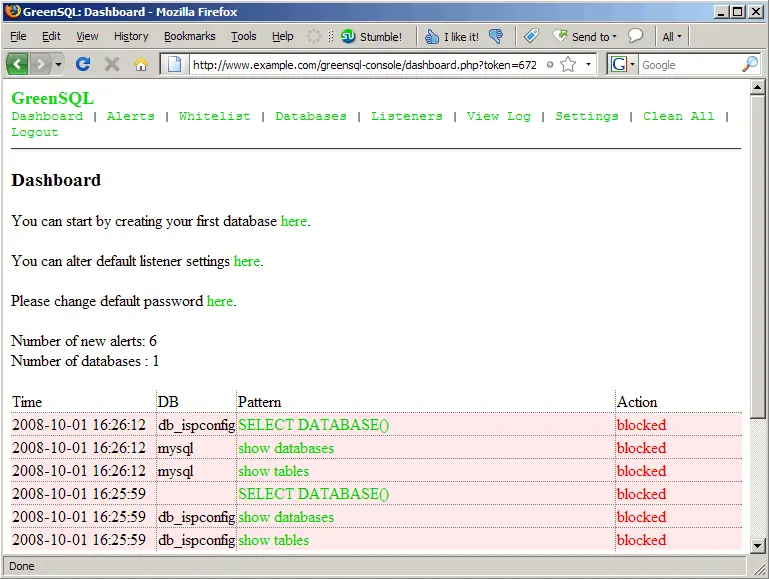
In the GreenSQL web interface, you can now see which MySQL queries got blocked and with what score, you can whitelist MySQL queries, tell greensql-fw what to block and what to allow for each individual database, watch the log or change the admin password for the GreenSQL web interface:
If you want to change the points that greensql-fw assigns for certain tests, you can do that by modifying the greensql-fw configuration file /etc/greensql/greensql.conf. After you have changed the file, you must restart greensql-fw:
/etc/init.d/greensql-fw stop
/etc/init.d/greensql-fw start
(The restart command did not work on my system, it seemed to hang...)
You can find the GreenSQL log in /var/log/greensql.log.
4 Links
- GreenSQL: http://www.greensql.net/
- MySQL: http://www.mysql.com/
- Debian: http://www.debian.org/





