
Mandriva Directory Server On Debian Etch - Page 7
On this page
20 The Client Side
I've tested this with Windows XP Pro SP2 - but it should also work with other Windows versions.
- Be sure that no other DHCP server than the one on the server is running
- Start Windows and log in as local administrator
- Configure your network connection to use DHCP
- Right click on "My Computer" and select "Properties"
- Switch to the tab "Computer Name" and click on "Change"
- Insert a desired computer name, mark the radio button "Domain" and enter "EXAMPLE" (without the quotes!)
- Click on "OK" to take the changes effect
- A few moments later you'll be asked for a username and password. Use the domain administrator account that you created at step 5.2 (e.g.: Username "Administrator" with the password "howtoforge") and click on "OK"
- If all went ok, you'll get a welcome message
- Restart the system
- When the system is up again, log in with the domain administrator account that you created at step 5.2 (e.g.: Username "Administrator" with the password "howtoforge"). Be sure that you select the domain from the drop down menu!
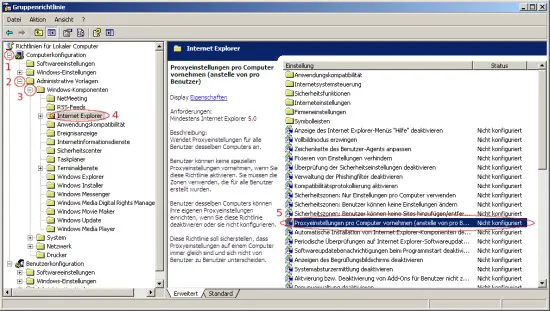
- Click on "Start" and afterwards on "execute". Enter "gpedit.msc" and click on "OK".
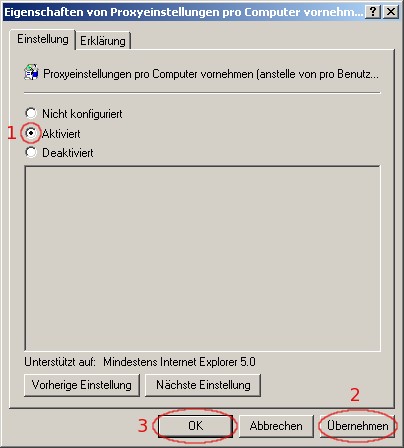
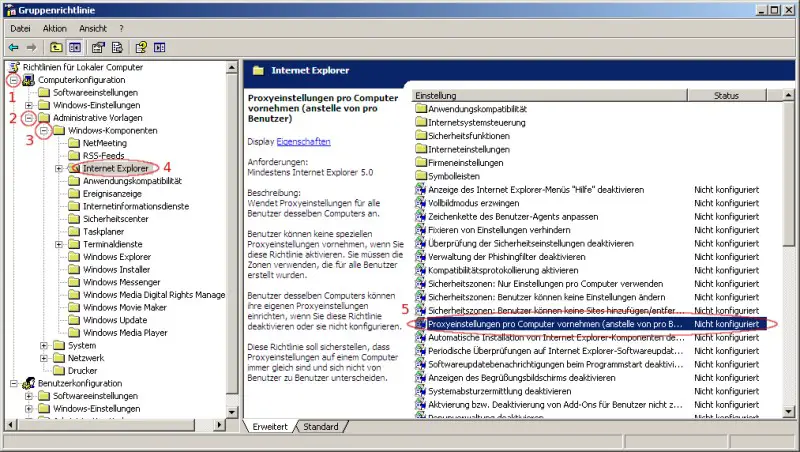
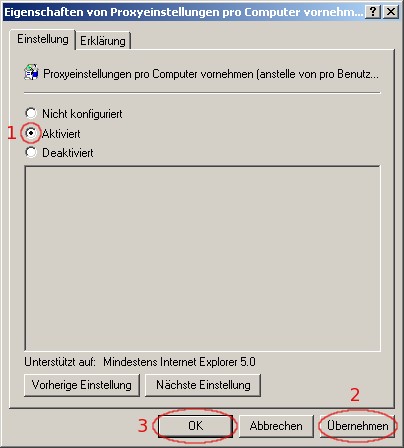
- Browse to the Internet Explorer settings and activate "proxy settings per computer."
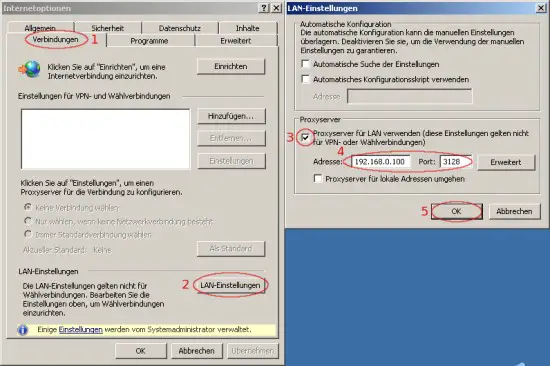
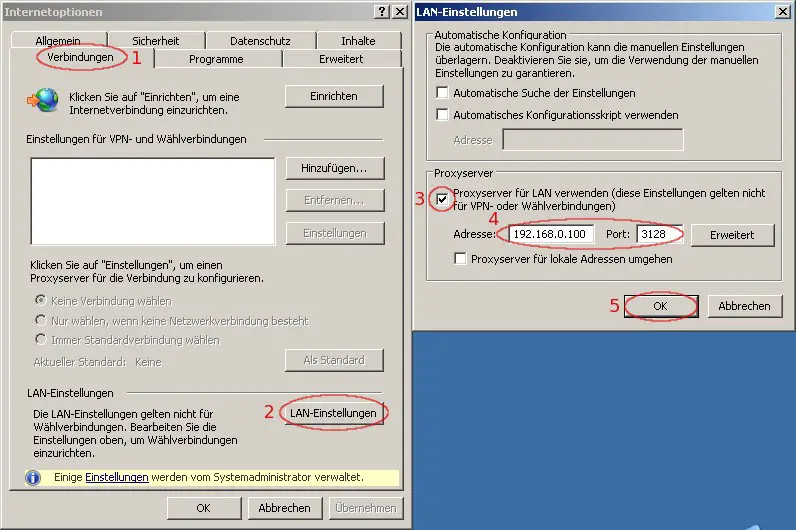
- Now open the Internet Explorer, click on "Extras" and afterwards on "Internet Options". Edit the proxy settings as shown on the screenshot below.
- Log out and in again with the domain user account that you configured at step 19.4 (e.g.: Username "olli" with the password "howtoforge"). Be sure that you select the domain from the drop down menu! Domain users won't be able to change the proxy settings.
21 Some Notes...
- If you have a dynamic IP, you should read Falko's howto about relaying: https://www.howtoforge.com/postfix_relaying_through_another_mailserver
- If you want to catch mails from other mailservers, you should read Falko's howto about fetchmail: https://www.howtoforge.com/debian_etch_fetchmail
- If you want to create policies for your windows clients, you should take a look at http://support.microsoft.com/kb/910203/EN-US/
22 Links
- Debian: http://www.debian.org/
- Mandriva Directory Server: http://mds.mandriva.org/





