Logitech MX Revolution's Special Buttons On Fedora 7
Version 1.0
Author: Oliver Meyer <o [dot] meyer [at] projektfarm [dot] de>
This document describes how to enable and configure the Logitech MX Revolution's special buttons on Fedora 7.
This howto is meant as a practical guide; it does not cover the theoretical backgrounds. They are treated in a lot of other documents in the web.
This document comes without warranty of any kind! I want to say that this is not the only way of setting up such a system. There are many ways of achieving this goal but this is the way I take. I do not issue any guarantee that this will work for you!
1 Enable All Special Buttons
Open a terminal and make a backup of the xorg.conf:
su -
%rootpassword%
cp /etc/X11/xorg.conf /etc/X11/xorg.conf.orig
Now we customize the xorg.conf to enable the special buttons:
vi /etc/X11/xorg.conf
Change the section ServerLayout that it looks like this:
Section "ServerLayout"
	Identifier     "single head configuration"
	Screen      0  "Screen0" 0 0
	InputDevice    "Keyboard0" "CoreKeyboard"
	InputDevice    "MX Rev" "CorePointer"
EndSection
Add a new section InputDevice:
Section "InputDevice"
	Identifier  "MX Rev"
	Driver      "evdev"
	Option	    "Phys" "usb-*/input0"
	Option	    "Name" "Logitech USB Receiver"
	Option	    "CorePointer"
EndSection
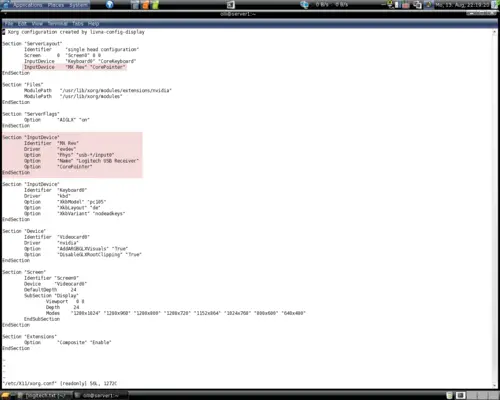
Now you should log out and after that log in again to enable the new configuration.
2 Identify The Special Buttons
Open a terminal and start xev:
xev
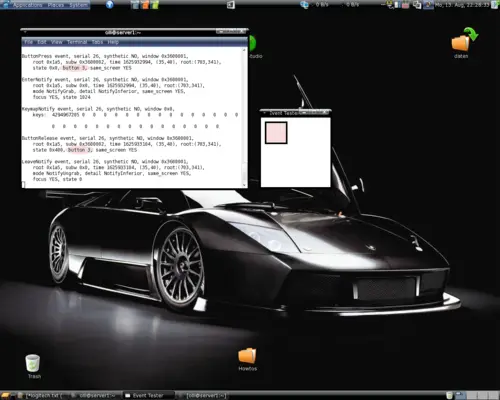
A new window will pop up with a little black-bordered square in it. Move the cursor into the square (pink marked in the screenshot) and use all special buttons one after the other. You will see the identity of the buttons (like "button 3") in the terminal (pink marked in the screenshot).
Don't move your mouse during this time, else you will see lots of events caused by the movement of your mouse and not the button-events you want to see.
Note the identity of each button - you will need it later to customize the functions for the special buttons.
3 Install Xvkbd
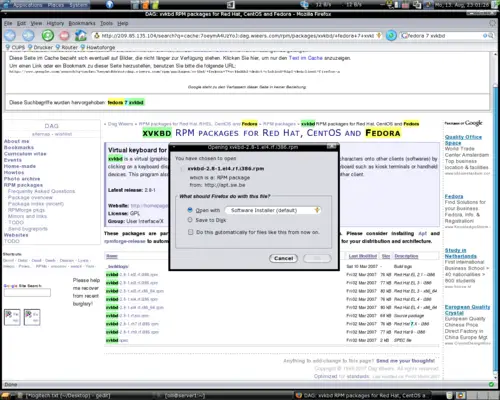
Download the package http://dag.wieers.com/rpm/packages/xvkbd/xvkbd-2.8-1.el4.rf.i386.rpm and install it with the software-installer.
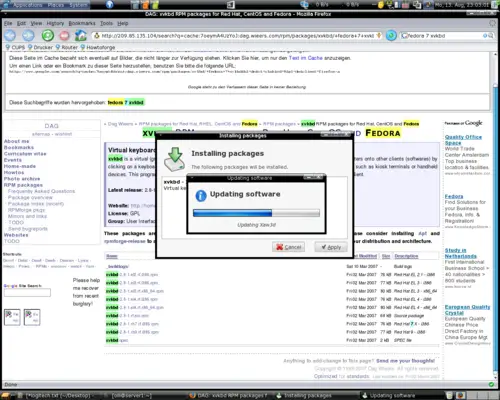
The packages are now being downloaded and installed: