iRedMail: Mail Server With LDAP, Postfix, RoundCube, Dovecot, ClamAV, SpamAssassin, Amavisd On Debian (Lenny) 5.0.1
Last edited 03/31/2011
iRedMail is a shell script that lets you quickly deploy a full-featured mail solution in less than 2 minutes. Since iRedMail 0.5, it supports Debian 5.0.1 (it supports both i386 and x86_64). Its object is to make a Linux mail server installation and configuration simple and easy to use. iRedMail supports both OpenLDAP and MySQL as backends for storing virtual domains and users.This tutorial shows how to use OpenLDAP as the backend.
Now iRedmail provides two webmail program, RoundCube and SquirrelMail, and both support the MySQL and OpenLDAP backends and can change the password.
- Main components used in this solution: http://code.google.com/p/iredmail/wiki/Main_Components
- Discussion forum: http://www.iredmail.org/forum/
- Project home page: http://code.google.com/p/iredmail/
1 Requirements
It is strongly recommended that you use the 'netinst' version to install a minimal Debian system, and then deploy mail service via iRedMail solution. e.g.:
To install such a system you will need the following:
- debian-501-amd64-netinst.iso or debian-501-i386-netinst.iso , download Debian CD/DVD images via HTTP/FTP
- Internet connection.
2 Preliminary Note
In this tutorial we use:
- Hostname mail.example.com
- IP address 192.168.1.10
- LDAP suffix (root dn) dc=example,dc=com
- The first virtual domain: example.com
4 Setting hostname
In Debian (Lenny), hostname is set in these two files:
* /etc/hostname: hostname setting
* /etc/hosts: hostname <=> IP address mapping
Map this hostname to '127.0.0.1' (Warning: List the FQDN hostname as first item.)
# vi /etc/hosts
#127.0.0.1 localhost #127.0.1.1 mail.example.com mail 127.0.0.1 mail.example.com mail localhost localhost.localdomain |
# vi /etc/hostname
|
|
Verify the FQDN hostname:
# hostname --fqdn
mail.example.com
5 Start iRedMail Installation
Switch to root user, we must execute further commands as root user without sudo.
$ sudo su -
Download the new version of iRedMail:
# wget http://iredmail.googlecode.com/files/iRedMail-0.7.0.tar.bz2
# tar jxvf iRedMail-0.7.0.tar.bz2
Start the iRedMail installer:
# cd iRedMail-0.7.0
# bash iRedMail.sh
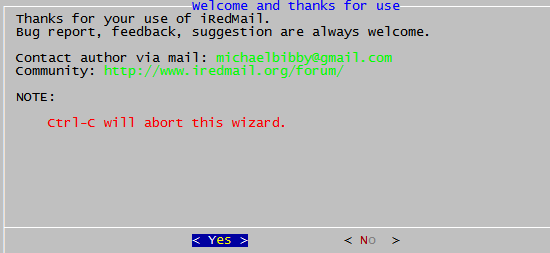
Welcome page:
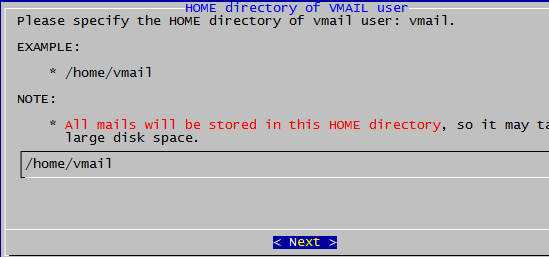
All emails should be stored in this directory:
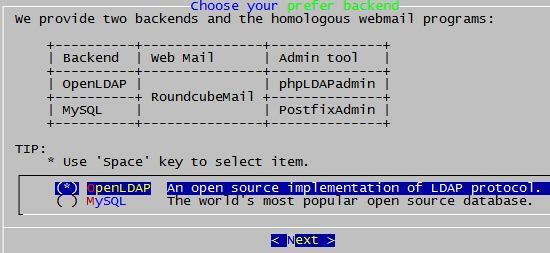
iRedMail supports both OpenLDAP and MySQL as backends to store virtual domains and users. OpenLDAP is recommended.
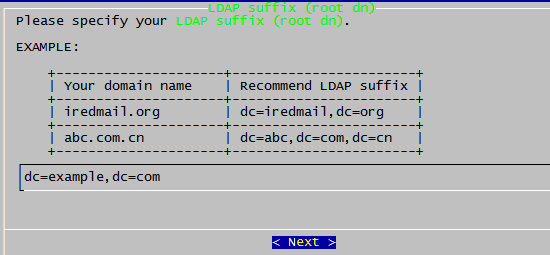
LDAP suffix, normally it's your domain name, such as: dc=example,dc=com
iRedMail will put all virtual domains/users in 'o=domains,dc=example,dc=com', it's called 'LDAP base dn': o=domains,dc=example,dc=com.
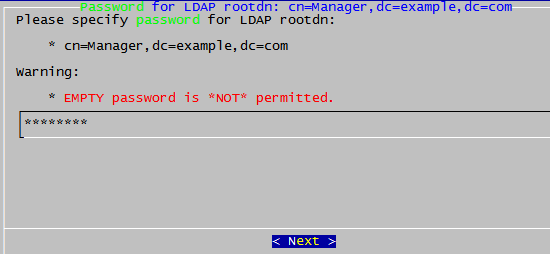
Set a password for the LDAP server admin. The admin account is defined in /etc/ldap/slapd.conf, normaily it's: cn=Manager,dc=example,dc=com.