This tutorial exists for these OS versions
- Linux Mint 17.1 (Rebecca)
- Linux Mint 17 (Quiana)
- Linux Mint 15 (Olivia)
- Linux Mint 14 (Nadia)
- Linux Mint 13 (Maya)
- Linux Mint 12 (Lisa)
On this page
Installation Guide: Linux Mint 4.0 Daryna (a.k.a. The Perfect Desktop)
Version 1.0
Author: Falko Timme
This tutorial shows how you can set up a Linux Mint 4.0 (Daryna) desktop that is a full-fledged replacement for a Windows desktop, i.e. that has all the software that people need to do the things they do on their Windows desktops. The advantages are clear: you get a secure system without DRM restrictions that works even on old hardware, and the best thing is: all software comes free of charge. Linux Mint 4.0 is a Linux distribution based on Ubuntu 7.10 that has lots of packages in its repositories (like multimedia codecs, Adobe Flash, Adobe Reader, Skype, Google Earth, etc.) that are relatively hard to install on other distributions; it therefore provides a user-friendly desktop experience even for Linux newbies.
I want to say first that this is not the only way of setting up such a system. There are many ways of achieving this goal but this is the way I take. I do not issue any guarantee that this will work for you!
1 Preliminary Note
To fully replace a Windows desktop, I want the Linux Mint 4.0 desktop to have the following software installed:
Graphics:
- The GIMP - free software replacement for Adobe Photoshop
- F-Spot - full-featured personal photo management application for the GNOME desktop
- Google Picasa - application for organizing and editing digital photos
Internet:
- Firefox
- Opera
- Flash Player 9
- FileZilla - multithreaded FTP client
- Thunderbird - email and news client
- Evolution - combines e-mail, calendar, address book, and task list management functions
- aMule - P2P file sharing application
- BitTornado - Bittorrent client
- Azureus - Java Bittorrent client
- Pidgin - multi-platform instant messaging client
- Skype
- Google Earth
- Xchat IRC - IRC client
Office:
- OpenOffice Writer - replacement for Microsoft Word
- OpenOffice Calc - replacement for Microsoft Excel
- Adobe Reader
- GnuCash - double-entry book-keeping personal finance system, similar to Quicken
- Scribus - open source desktop publishing (DTP) application
Sound & Video:
- Amarok - audio player
- Audacity - free, open source, cross platform digital audio editor
- Banshee - audio player, can encode/decode various formats and synchronize music with Apple iPods
- MPlayer - media player (video/audio), supports WMA
- Rhythmbox Music Player - audio player, similar to Apple's iTunes, with support for iPods
- gtkPod - software similar to Apple's iTunes, supports iPod, iPod nano, iPod shuffle, iPod photo, and iPod mini
- XMMS - audio player similar to Winamp
- dvd::rip - full featured DVD copy program
- Kino - free digital video editor
- Sound Juicer CD Extractor - CD ripping tool, supports various audio codecs
- VLC Media Player - media player (video/audio)
- Helix Player - media player, similar to the Real Player
- Totem - media player (video/audio)
- Xine - media player, supports various formats; can play DVDs
- GnomeBaker - CD/DVD burning program
- K3B - CD/DVD burning program
- Multimedia Codecs
Programming:
- KompoZer - WYSIWYG HTML editor, similar to Macromedia Dreamweaver, but not as feature-rich (yet)
- Bluefish - text editor, suitable for many programming and markup languages
- Quanta Plus - web development environment, including a WYSIWYG editor
Other:
- VMware Server - lets you run your old Windows desktop as a virtual machine under your Linux desktop, so you don't have to entirely abandon Windows
- TrueType fonts
- Java
- Read-/Write support for NTFS partitions
Lots of our desired applications are available in the Linux Mint repositories.
I will use the username falko in this tutorial. Please replace it with your own username.
2 Installing The Base System
The installation of the base system is easy as 1-2-3 because the Linux Mint installer doesn't offer a lot of options to choose from, so you cannot go wrong.
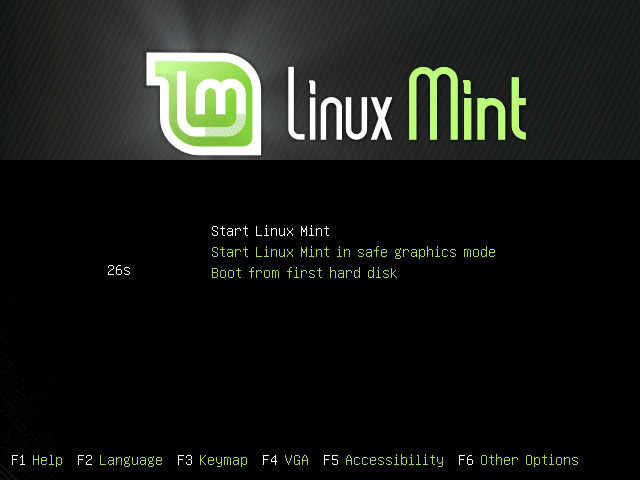
Download the Linux Mint 4.0 (Main Edition!) iso image from http://www.linuxmint.com/download.php, burn it onto a CD, and boot your computer from it. At the boot prompt, select Start Linux Mint:
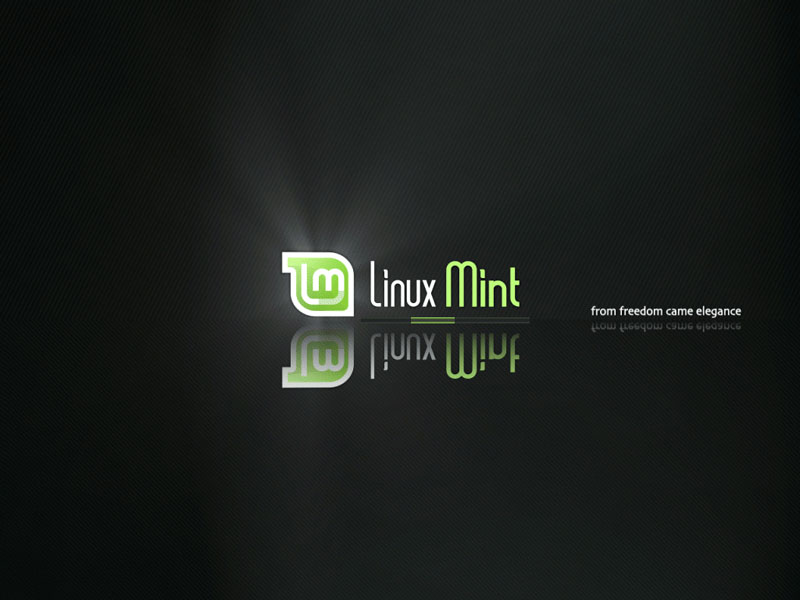
The system boots and starts a desktop that is run entirely in the RAM of your system (the Linux Mint installation CD is also a Live-CD) without changing anything on your hard disk. This has the advantage that you can test how Linux Mint works on your hardware before you finally install it.
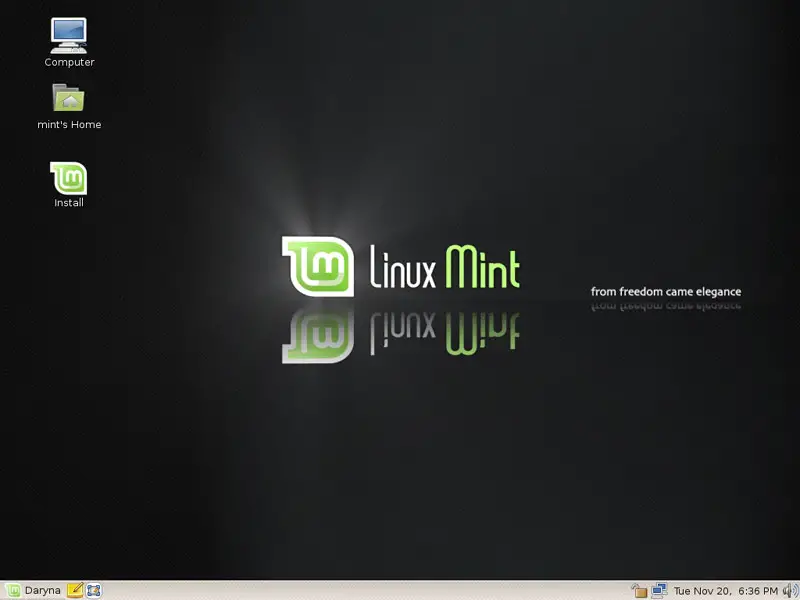
This is how the Linux Mint desktop looks. Double-click the Install icon on the desktop to start the installation to the hard drive:
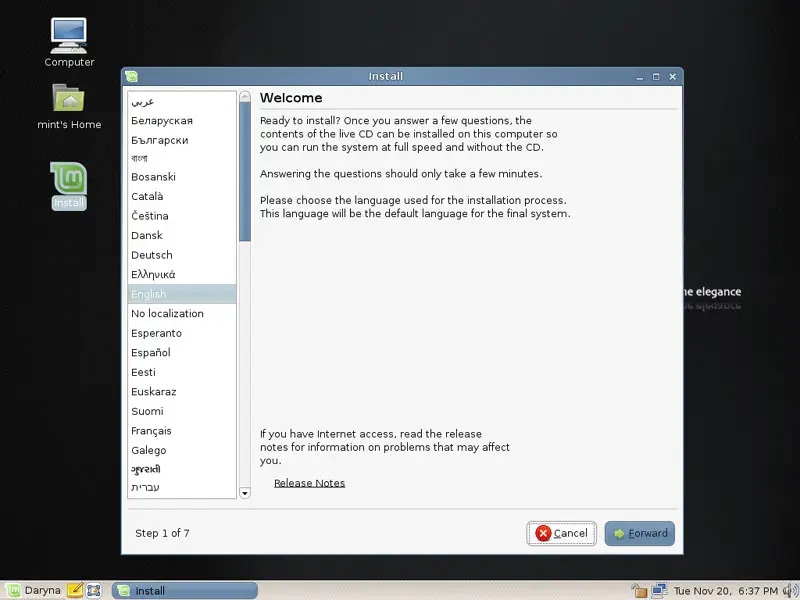
The installer starts. First, select your language:
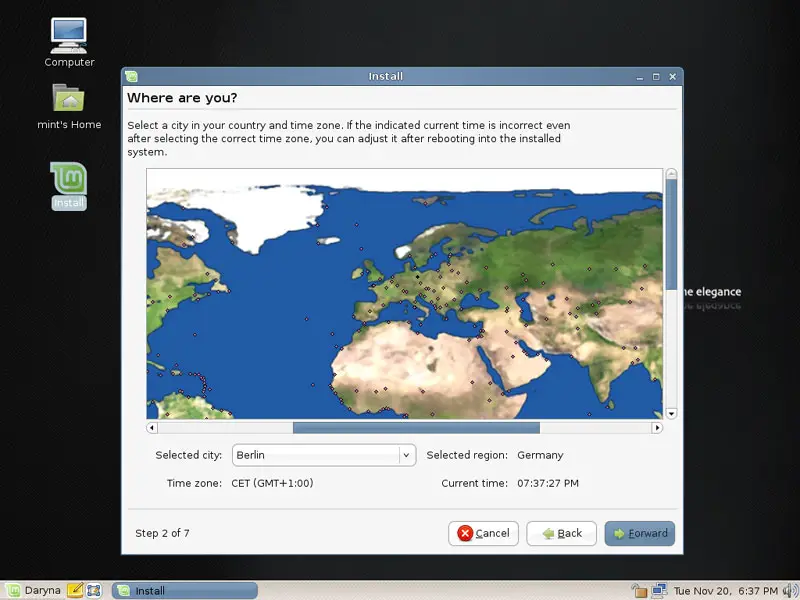
Then choose your time zone:
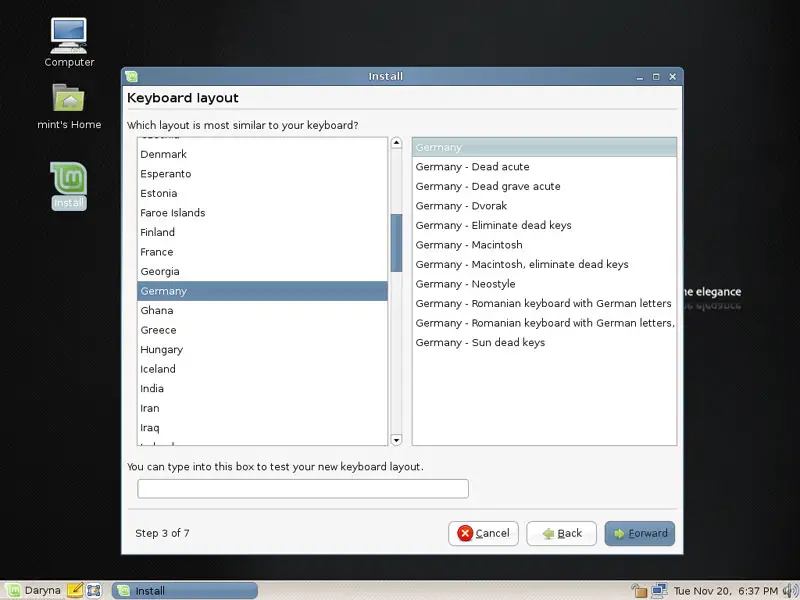
Change the keyboard layout, if necessary: