Back Up Your Files With Areca On Fedora 9
Version 1.0
Author: Oliver Meyer <o [dot] meyer [at] projektfarm [dot] de>
Areca is a personal file backup software developed in Java. It allows you to select files or directories to backup, filter, encrypt and compress their content, and store them on your backup location. Areca supports incremental backups and generates backup reports, which can be stored on your disk or sent by email. This guide explains how to install and use it on a Fedora 9 desktop (GNOME).
This howto is a practical guide without any warranty - it doesn't cover the theoretical backgrounds. There are many ways to set up such a system - this is the way I chose.
1 Get It
Please have a look at http://sourceforge.net/project/showfiles.php?group_id=171505 to find out which is the latest version. When I was writing this howto it was version 6.0.7.
su -
%your_root_password%
cd /opt/
wget http://kent.dl.sourceforge.net/sourceforge/areca/areca-6.0.7-linux-gtk-32.tar.gz
tar xvfz areca-6.0.7-linux-gtk-32.tar.gz
chmod a+x /opt/areca/*.sh /opt/areca/bin/*
rm -f /opt/areca-6.0.7-linux-gtk-32.tar.gz
After that switch back to your user account ...
exit
... and create the needed directory structure for Areca.
mkdir -p ~/Areca/Workspace/
2 GNOME Launcher
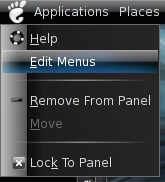
Now let's create a launcher for the GNOME menu to ease the access to Areca. Right click on the GNOME menu and choose "Edit Menus".
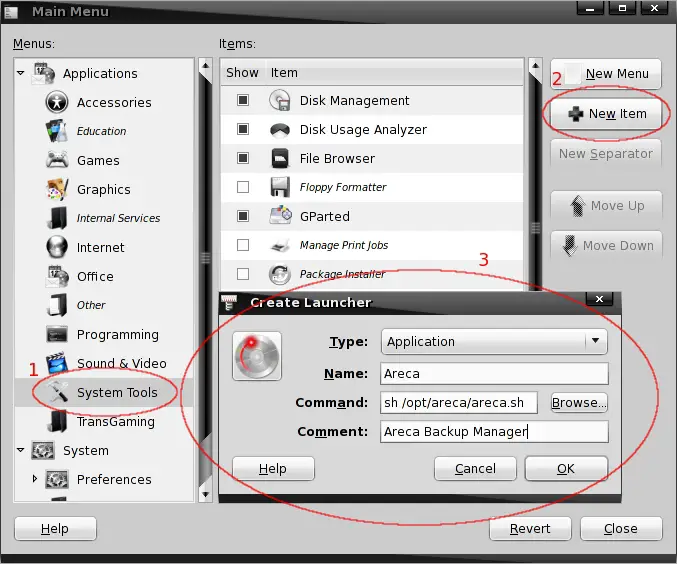
Select "System Tools" on the left side and click on "New Item" on the right side. Fill out the fields as shown on the screenshot below and select your preferred icon for this application.
3 Usage
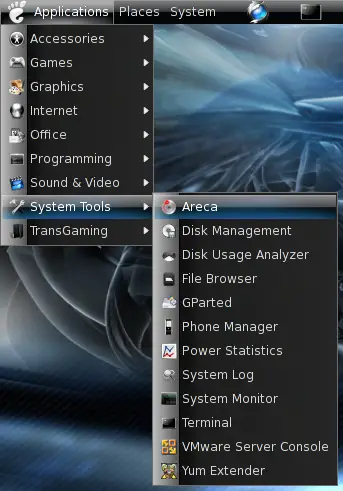
Now, after we've created a launcher, Areca is accessible in the GNOME applications menu.
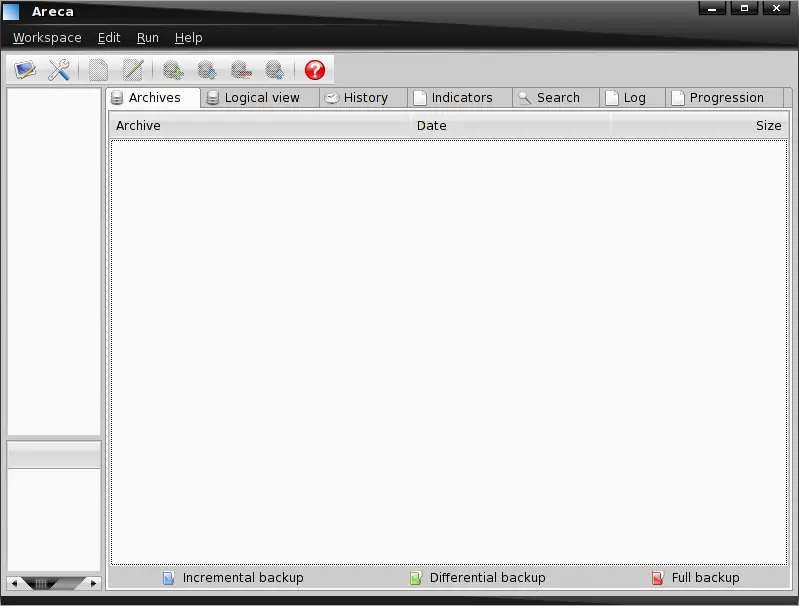
3.1 Backup Groups
First we have to create at least one backup group - in the next step we'll assign a new target (backup set) to this group. Click on "Edit" in the main menu and choose "New group".
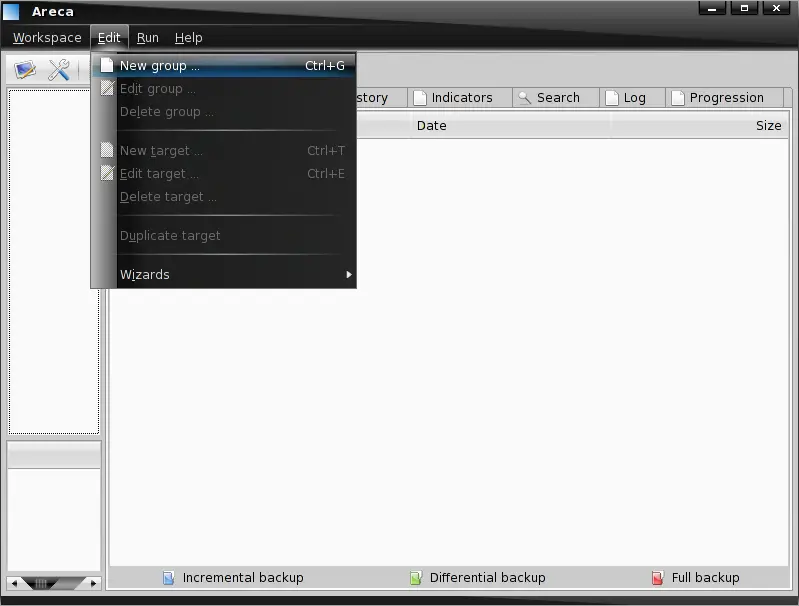
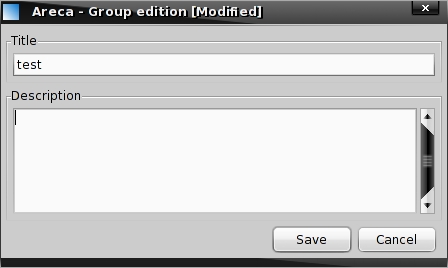
Enter a title for the new group and a description if you want.