
Appnr - Synaptic For Your Browser (Ubuntu)
Version 1.0
Author: Falko Timme
Appnr is a web-based directory for Ubuntu packages (including the official repositories and third-party packages from Medibuntu, Google, and the Canonical Partner repository). You can use it to browse and install packages directly from your browser. It's like Synaptic for your browser.
I do not issue any guarantee that this will work for you!
1 Adding Repositories
The Appnr web site contains packages from the official Ubuntu repositories as well as from Medibuntu, Google, and the Canonical Partner repository. The third-party packages can be installed only if their repositories are listed in /etc/apt/sources.list. Therefore we add the Medibuntu, Google, and Canonical Partner repositories to /etc/apt/sources.list now.
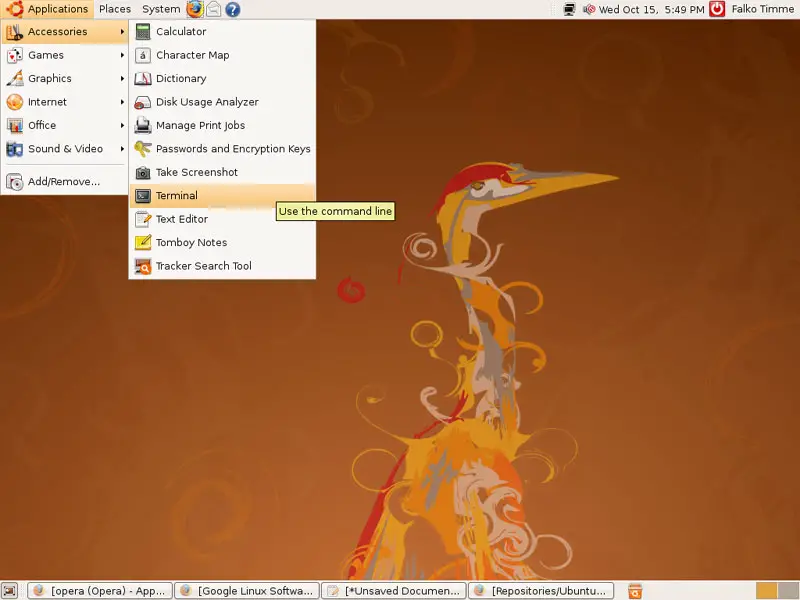
To do this, we open a terminal (Applications > Accessories > Terminal):
To enable the Medibuntu repository, we do this:
sudo wget http://www.medibuntu.org/sources.list.d/hardy.list -O /etc/apt/sources.list.d/medibuntu.list
sudo apt-get update && sudo apt-get install medibuntu-keyring && sudo apt-get update
For the Google and Canonical Partner repositories, we run
wget -q -O - https://dl-ssl.google.com/linux/linux_signing_key.pub | sudo apt-key add -
sudo apt-get update
... and add or enable the following lines in /etc/apt/sources.list (the hardy partner lines are already in the file, but commented out, so you must uncomment them):
sudo gedit /etc/apt/sources.list
[...] deb http://archive.canonical.com/ubuntu hardy partner deb-src http://archive.canonical.com/ubuntu hardy partner deb http://dl.google.com/linux/deb/ stable non-free [...] |
Finally, we update our package database:
sudo apt-get update
2 Installing Applications Using Appnr
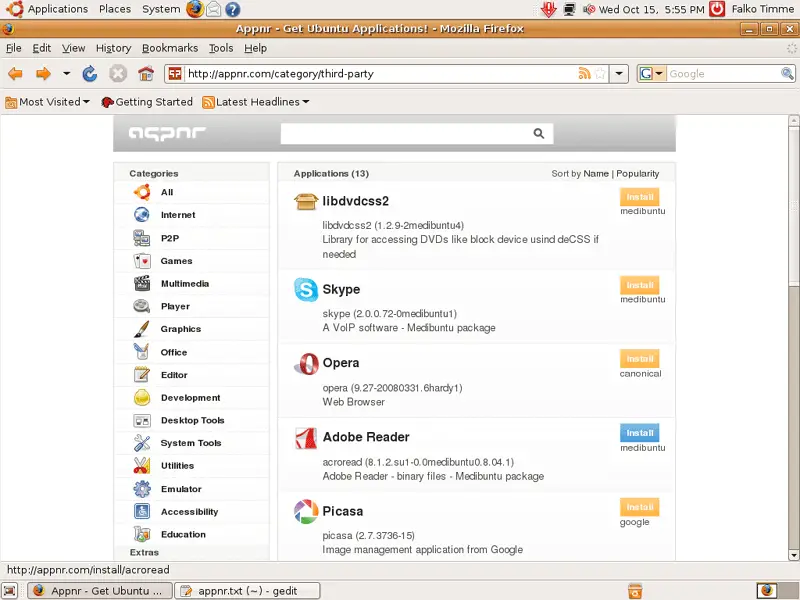
Now visit http://appnr.com/ and browse the directory. If you find an application that you'd like to install, click on the Install button:
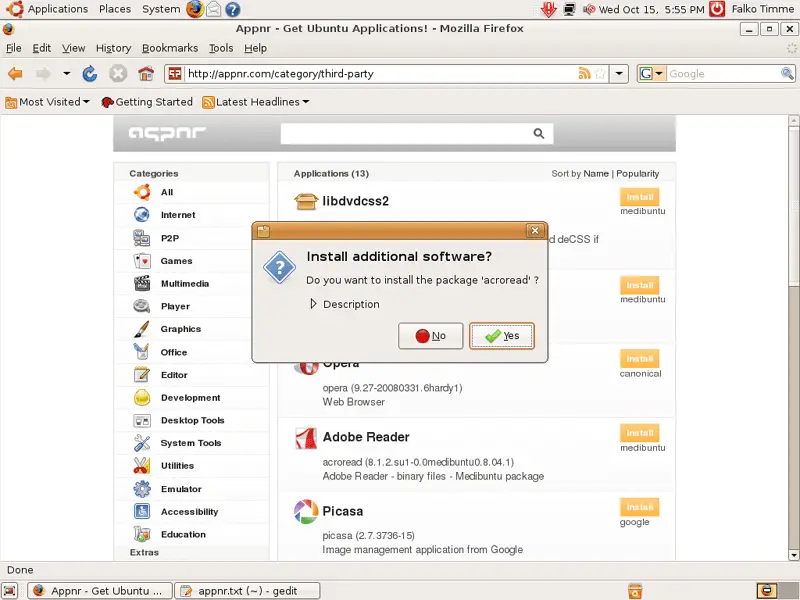
Confirm your choice by clicking on Yes:
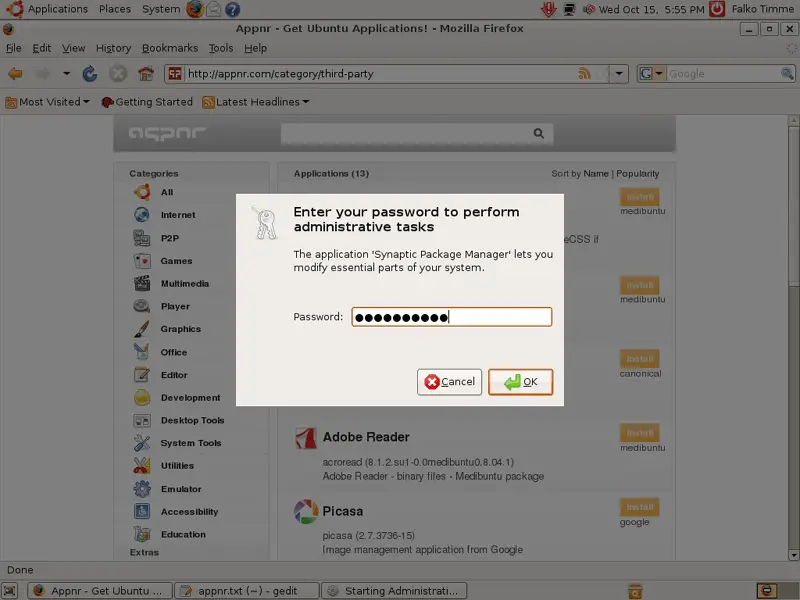
Type in your password:
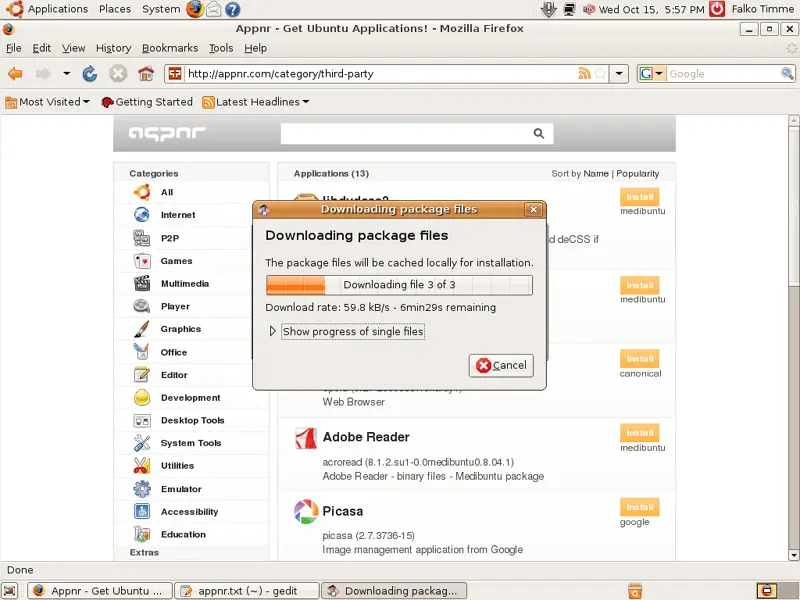
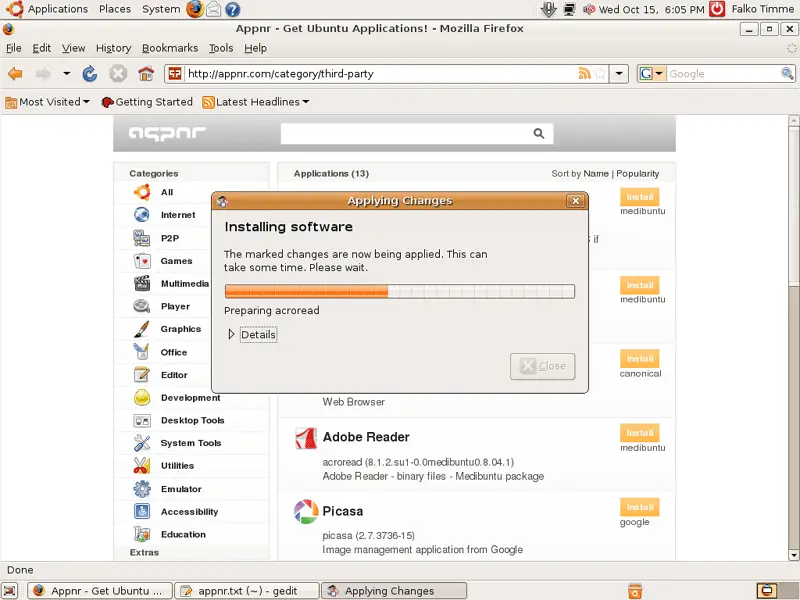
Afterwards the selected application and its dependencies are being downloaded and installed:
Click on Close to finish the installation:
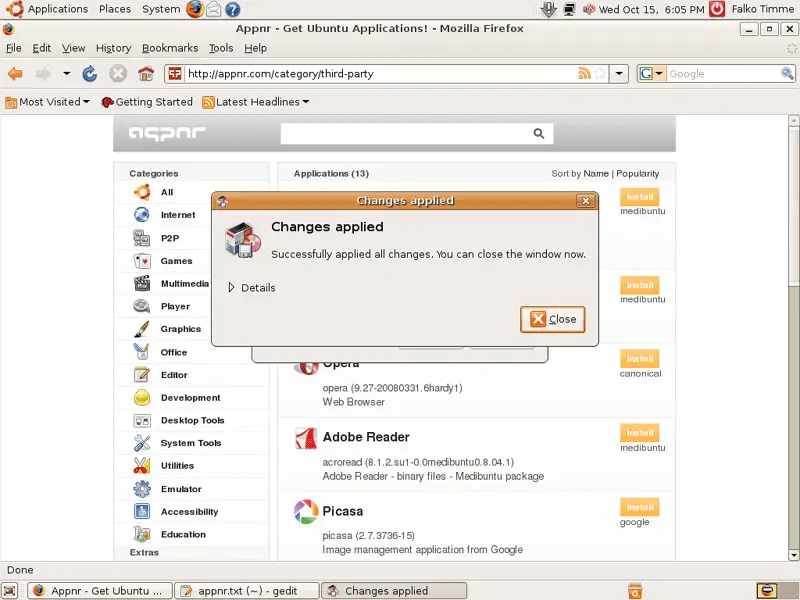
The selected application is now installed and ready to be used.
3 Links
- Appnr: http://appnr.com/
- Ubuntu: http://www.ubuntu.com/





