
On this page
VMware Workstation On OpenSuse 10.2
This article describes how to install VMware Workstation on an OpenSuSE 10.2 (i686) system. With VMware Workstation you can create and run guest operating systems ("virtual machines") such as Linux, Windows, FreeBSD, etc. under a host operating system.
What we need:
- Vmware Workstation and a serial
- Kernel scoure code
- Compiler
- PuTTY / WinSCP (maybe)
- OpenSuSE 10.2 (well I take it you got it installed .. I'm not going to tell you how to install that)
Let's get down to business:
Step 1
Get a copy of VMware workstation ver 5.5 if you don't have it downloaded from www.vmware.com homepage or Vmware workstation page. It's about 110MB. Get the .rpm.
Step 2
Make sure we boot our PC into the OpenSuSE 10.2 normal (non-XEN kernel). This should be default boot anyway :) but it's better to make sure.
Step 3
On the OpenSuSE PC itself:
3.1
Right-click on the desktop then click on the menu list: open terminal.
Type
su - <enter>
password here :
then do 3.2 – yast onwards.
Or
3.2
Via PuTTY window (this is how I do things):
Log in as root user and type this:
yast
Then pick from the menu (this may tab 20 secs to load up).
From the Software menu push the tab key or the right arrow key, then pick the Software Management <enter>
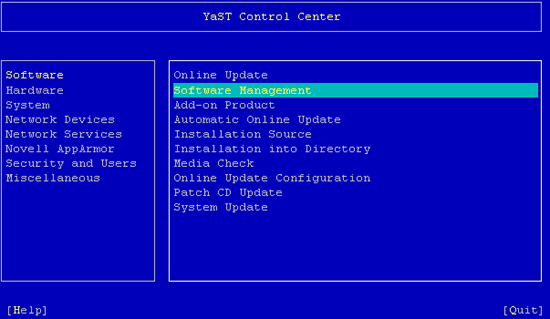
Then press ALT + s.
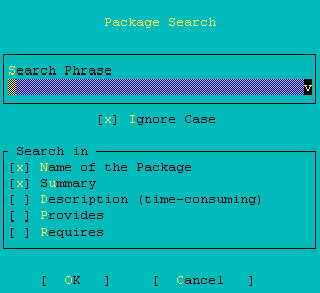
Then type in gcc. From the list thats comes up pick:
gcc ?4.1.3
gcc41 ?4.1.2_20061115


(Push the space bar key.)
Then ALT + S and type in kernel.
kernel-source ?2.6.18.2

Once these three packages are picked, type:
ALT + a
This will bring up a window like this with five packages to be added to the system about (280 MB or so):
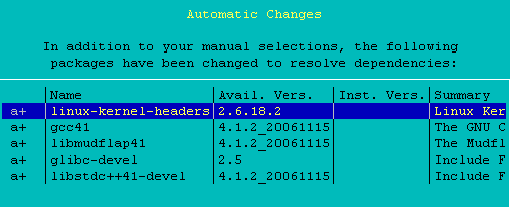
Push ALT + o to install them.
It may take 5 mins for this to happen.
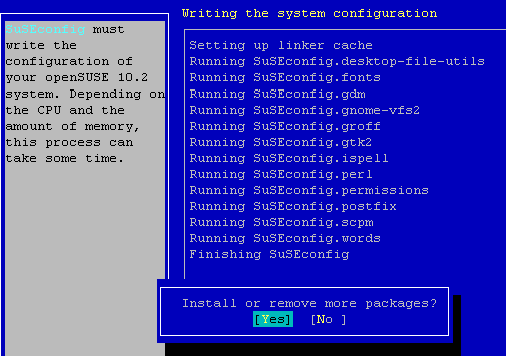
Push ALT + N, then ALT + Q.





