VirtualBox On FC6 / CentOS 4 / OpenSuSE 10.2 - Page 3

Do you like HowtoForge? Please consider supporting us by becoming a subscriber.
Submitted by zcworld (Contact Author) (Forums) on Thu, 2007-01-25 15:42. ::

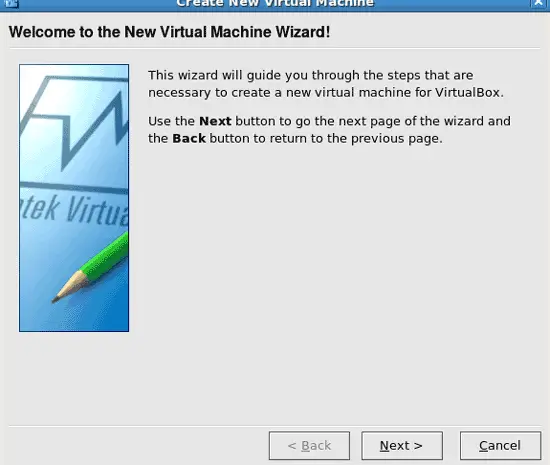
Step 05

Click Next:


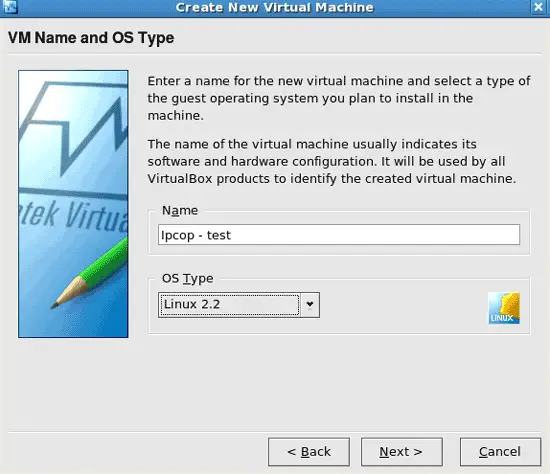
Step 06

Pick a name and the OS type:
 

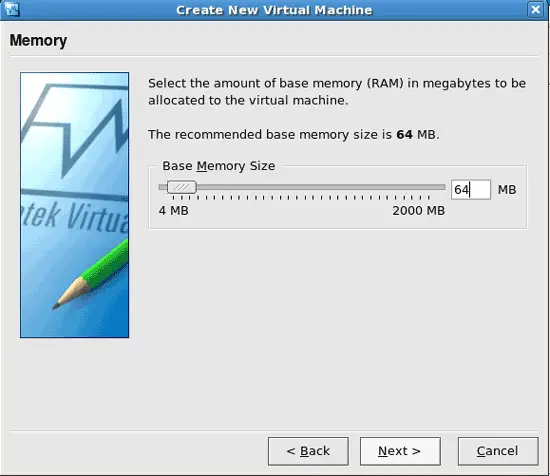
Step 07

Specify the memory for the virtual machine:
 

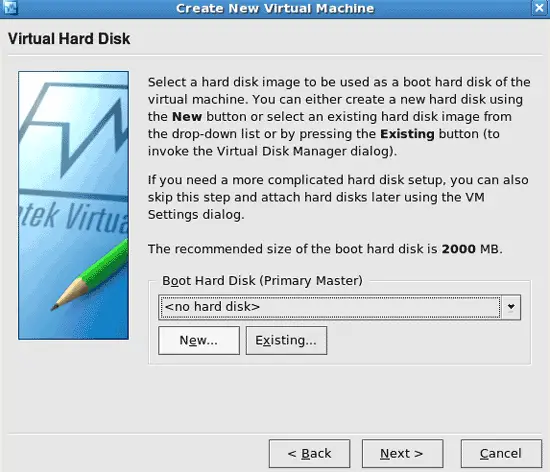
Step 08

Setting up a hard drive image for the virtual machine. :)

Click on New:
 

Step 09

Click Next:
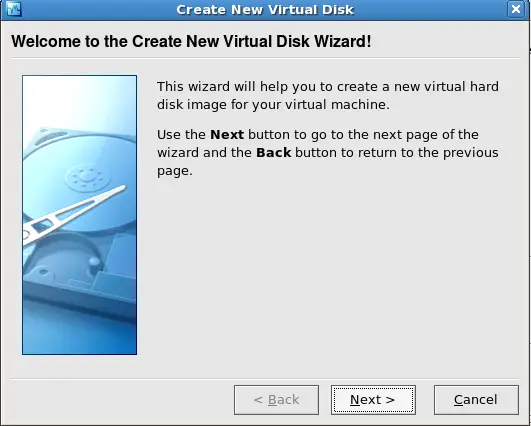
 

Step 10

Pick the type of hard drive image you are wanting. Read the page when it comes up for what each one does. :) Then click Next:
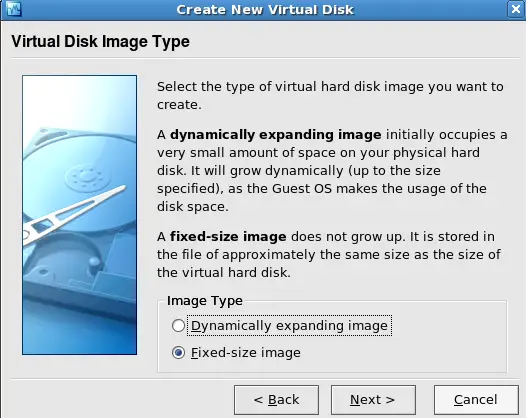
 

Step 11

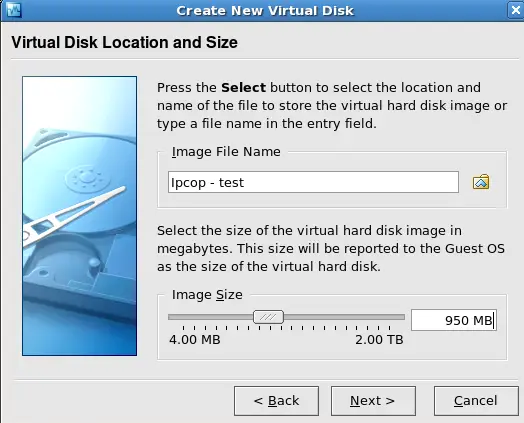
Pick the size of the drive you are wanting, then click on Next:

Please do not use the comment function to ask for help! If you need help, please use our forum.
Comments will be published after administrator approval.
Sponsored Links: Turn your desk phone and mobile phone into one with Sprint Mobile Integration.
www.seamlessenterprise.com

One number. One voicemail. Seize the lead. Sprint Mobile Integration.
www.seamlessenterprise.com

One Number. One Voicemail.
Make it easier for clients to reach you. Turn your desk phone and mobile phone into one with Sprint Mobile Integration.
www.seamlessenterprise.com

One number. One voicemail. Sprint Mobile Integration.
www.seamlessenterprise.com

AT&T Synaptic Compute as a Service. Boost your power on demand.

Trial: IBM Cognos Express Reporting, Analysis & Planning

Learn benefits of Simpana software.
View the Gartner Video