VirtualBox On FC6 / CentOS 4 / OpenSuSE 10.2 - Page 3
On this page
Step 03
We need to add our username to the vboxgroup to be able to run the program or we are going to get errors that are going to cook your noodle.
Fedora / CentOS
In Fedora / CentOS we do this:
CentOS : go to the Applications menu, then system settings and do the rest. :)
Go to System -> Administration -> Users and Groups:
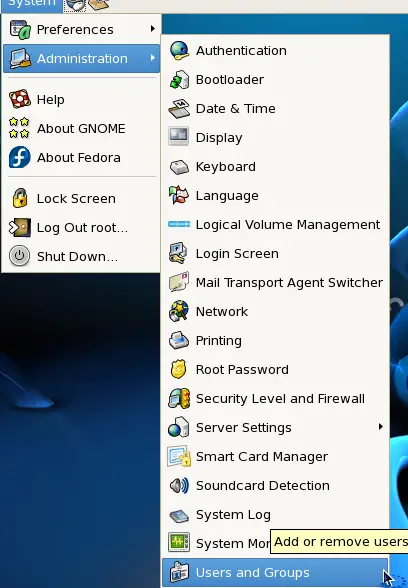
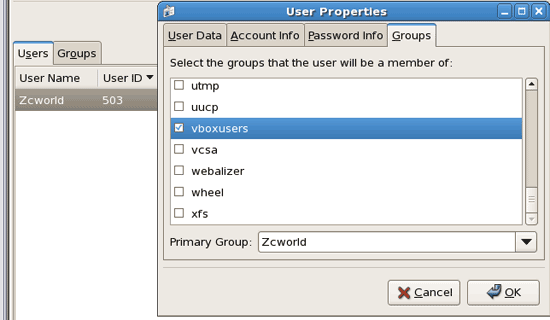
Double-click on the users, then go to the groups tab, find vboxusers, click ok .. log out and then back in.
OpenSuSE
Way to add users to the group for the VirtualBox to run:
Log in as root user, then type
yast
Go down to Security and Users, pick Group Managerment from the list:
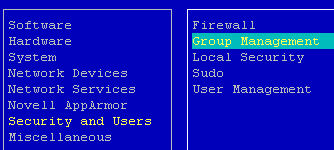
Pick from the list the vboxusers group, then push ALT + I:
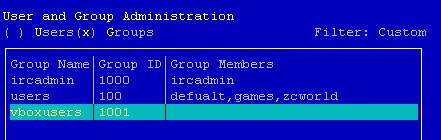
Then ALT + M, then pick the member users you want to be able to run the VirtualBox program by pushing the spacebar key on the user name, then the up or down arrow to find another user.
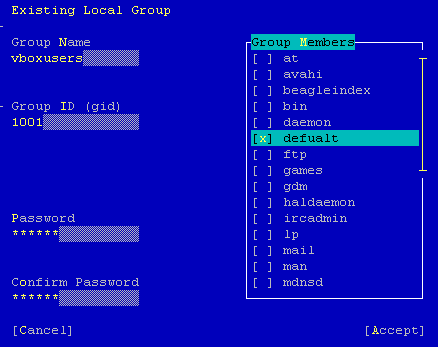
Once done push ALT +A.
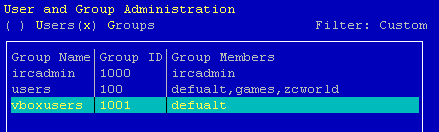
Then press ALT + F, then ALT + Q. If the user is logged in on the desktop, then log out and log in again.
Step 04
Fedora / CentOS
After VirtualBox is installed:
I'm on a FC 6 / Gnome desktop.
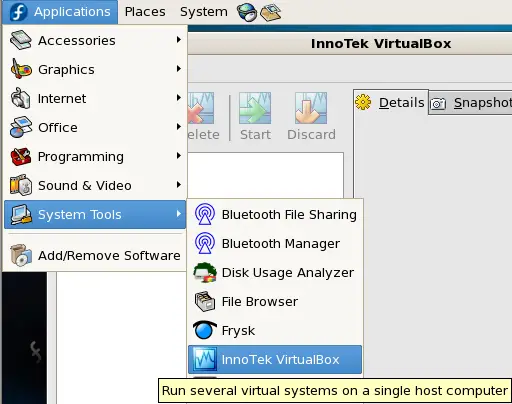
Go to Applications - > System Tools - > VirtualBox. Then click on New.
OpenSuSE
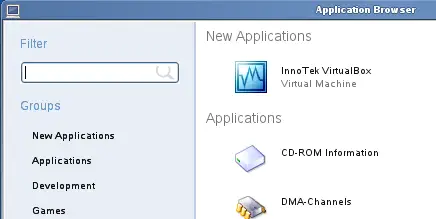
Click on the Computer icon, then on More Applications...:
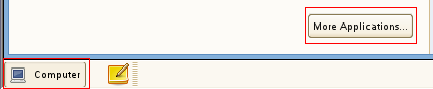
The InnoTek VirtualBox should be at the top of the list under New Applications (if you want it in the start menu, right-click, then add to favourites or drag onto desktop).