
How To Install Internet Explorer On Ubuntu (Feisty Fawn, Edgy Eft And Dapper Drake) - Page 2
On this page
4 Install IEs4Linux
To install IEs4Linux, we do this (still as a normal user!):
cd ~
wget http://www.tatanka.com.br/ies4linux/downloads/ies4linux-latest.tar.gz
tar zxvf ies4linux-latest.tar.gz
cd ies4linux-*
./ies4linux
You will be asked a few questions:
Welcome, falko! I'm IEs4Linux.
I can install IE 6, 5.5 and 5.0 for you easily and quickly.
You are just four 'enter's away from your IEs.
I'll ask you some questions now. Just answer y or n (default answer is the bold one)
IE 6 will be installed automatically.
Do you want to install IE 5.5 SP2 too? [ y / n ] <-- y
And do you want to install IE 5.01 SP2? [ y / n ] <-- y
IEs can be installed using one of the following locales:
EN-US PT-BR DE FR ES IT NL SV JA KO NO
DA CN TW FI PL HU AR HE CS PT RU EL TR
Default is EN-US. Hit enter to keep it or choose a different one: <-- [Specify your preferred locale or hit ENTER to use EN-US.]
By default, I will install everything at /home/falko/.ies4linux
I will also install Flash 9 plugin and create Desktop shortcuts.
Is that ok for you? (To configure advanced options type n) [ y / n ] <-- y
Next a few files will be downloaded, and the three Internet Explorer versions will be installed:
[...]
Installing IE 6
Initializing
Creating Wine Prefix
Extracting CAB files
Processing inf file
Installing IE 6
Installing TTF Fonts
Installing RICHED20
Installing ActiveX MFC40
Installing DCOM98
Installing registry
Finalizing
[ OK ]
Installing Flash Player 9
Extracting files
Installing flash on ie6
[ OK ]
Installing IE 5.5
Copying ie6 installation
Extracting files
Installing registry
Finalizing
[ OK ]
Installing IE 5.0
Copying ie6 installation
Extracting files
Installing registry
Finalizing
[ OK ]
IEs 4 Linux installations finished!
To run your IEs, type:
/home/falko/bin/ie6
/home/falko/bin/ie55
/home/falko/bin/ie5
If you have 5 minutes, help me translating IEs4Linux to your language.
Visit: http://tatanka.com.br/ies4linux/forum/viewtopic.php?p=2
That's it already.
5 Test
Now close the terminal window. On your desktop you should now see three Internet Explorer icons:

Now open each one (a test page from www.tatanka.com.br will load):

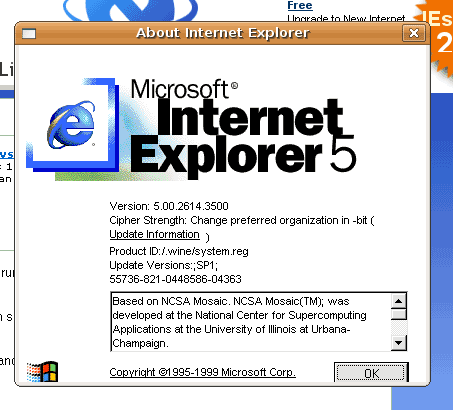
and go to Help -> About Internet Explorer in each of them to check the version. You should have the versions 6.0, 5.5, and 5.0 installled:
Internet Explorer 6.0:

Internet Explorer 5.5:
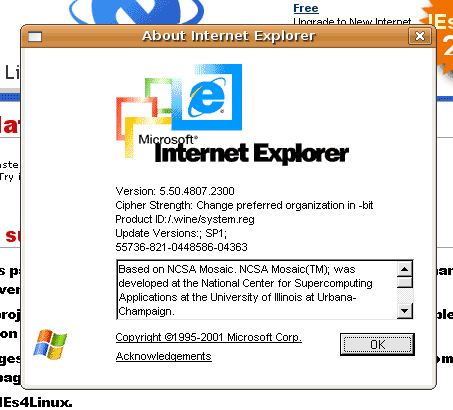
Internet Explorer 5.0:
6 Links
- IEs4Linux: http://www.tatanka.com.br/ies4linux/page/Main_Page
- Ubuntu: http://www.ubuntu.com
- Wine: http://www.winehq.org
- cabextract: http://www.kyz.uklinux.net/cabextract.php





