
The Perfect Server - OpenSUSE 11.1 - Page 3
4 Configure The Network settings
We use Yast, the OpenSuSE system management tool to reconfigure the network card settings. After the first boot, the system is configured to get the IP address with DHCP. For a server we will switch it to a static IP address.
Run
yast2
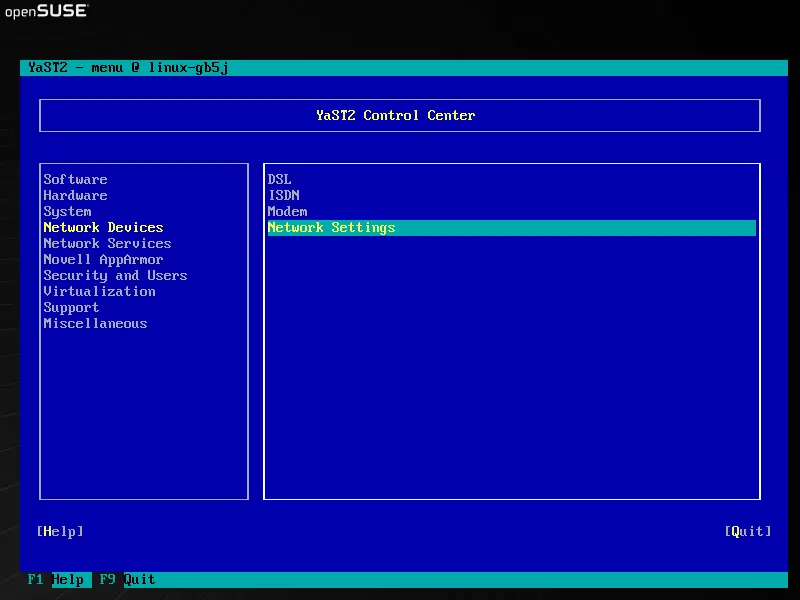
Select Network Devices > Network Settings:
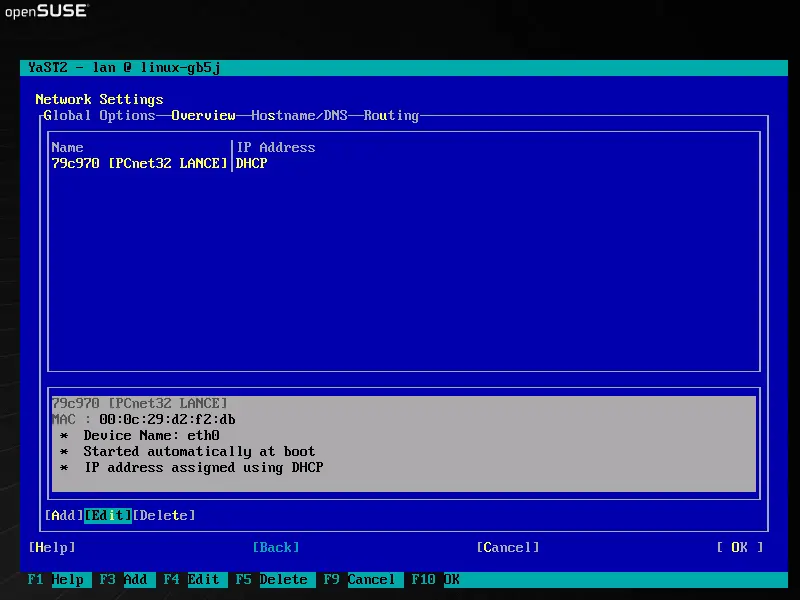
Select your network card and then Edit:
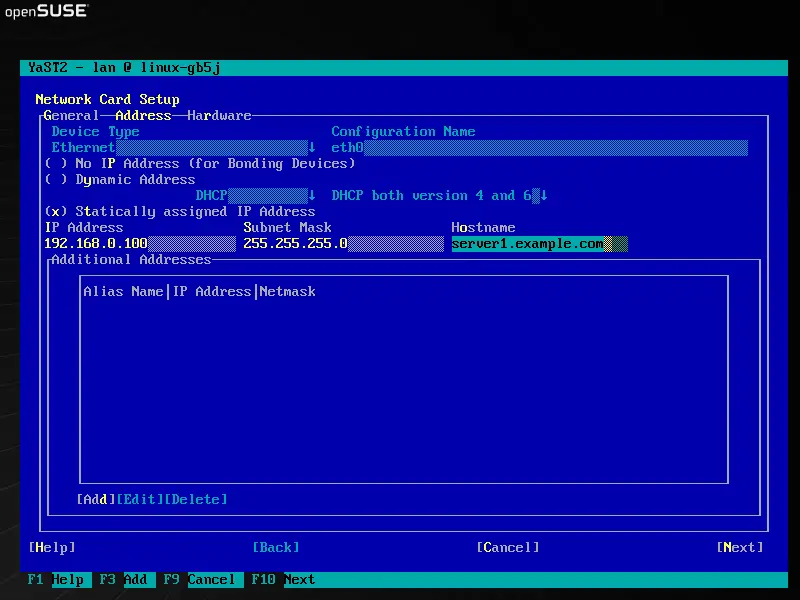
Select Statically assigned IP Address and enter the IP address, subnet mask and hostname and save the changes by selecting Next:
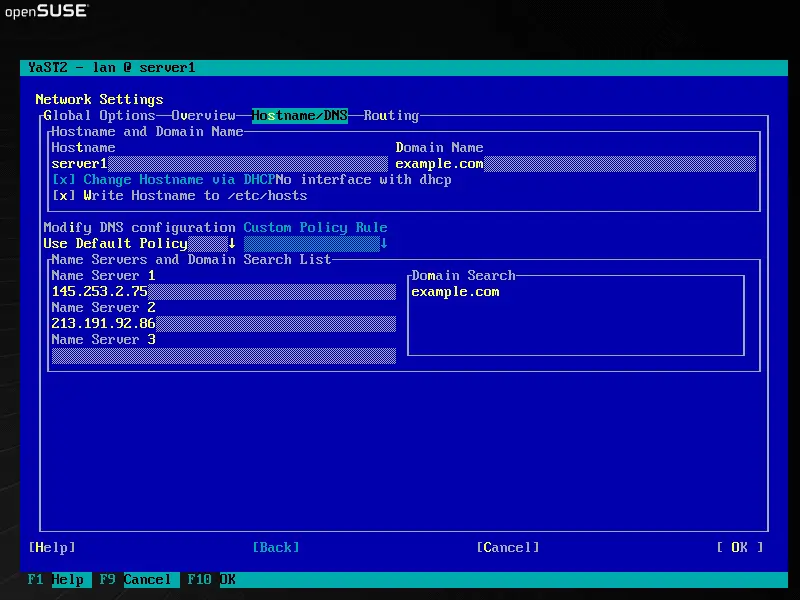
Now select Hostname/DNS and enter the hostname (e.g. server1.example.com) and nameservers (e.g. 145.253.2.75 and 213.191.92.86):
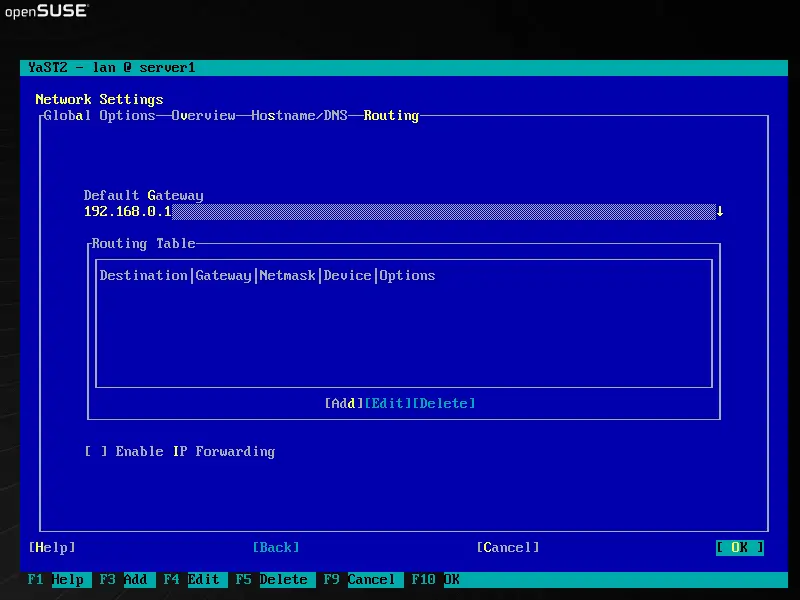
Now select Routing and enter the default gateway and hit OK:
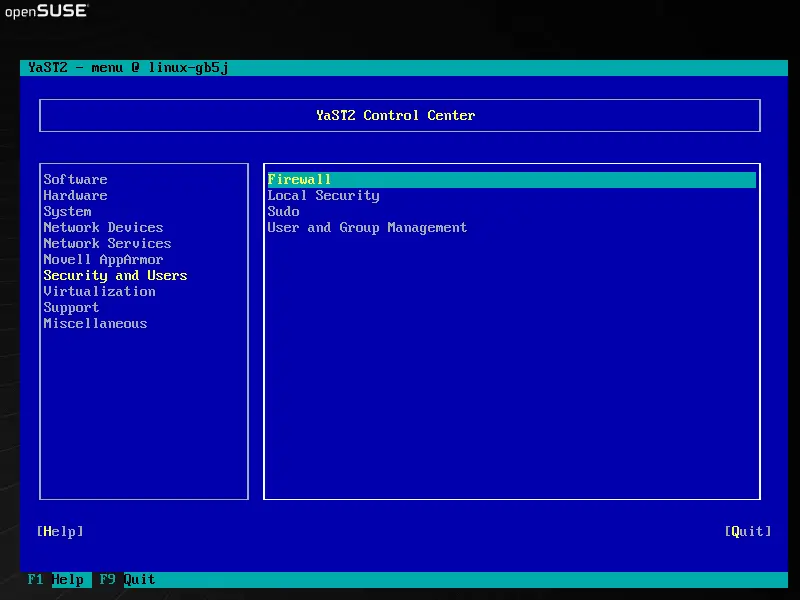
To configure the firewall, select Security and Users > Firewall in Yast:
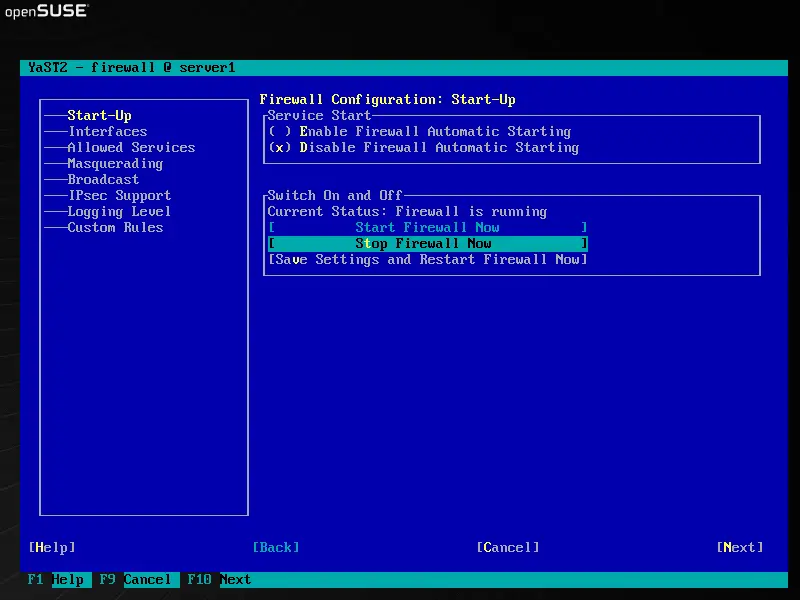
I want to install ISPConfig at the end of this tutorial which comes with its own firewall. That's why I disable the default OpenSUSE firewall now. Of course, you are free to leave it on and configure it to your needs (but then you shouldn't use any other firewall later on as it will most probably interfere with the OpenSUSE firewall).
Select Disable Firewall Automatic Starting and Stop Firewall Now, then hit Next:
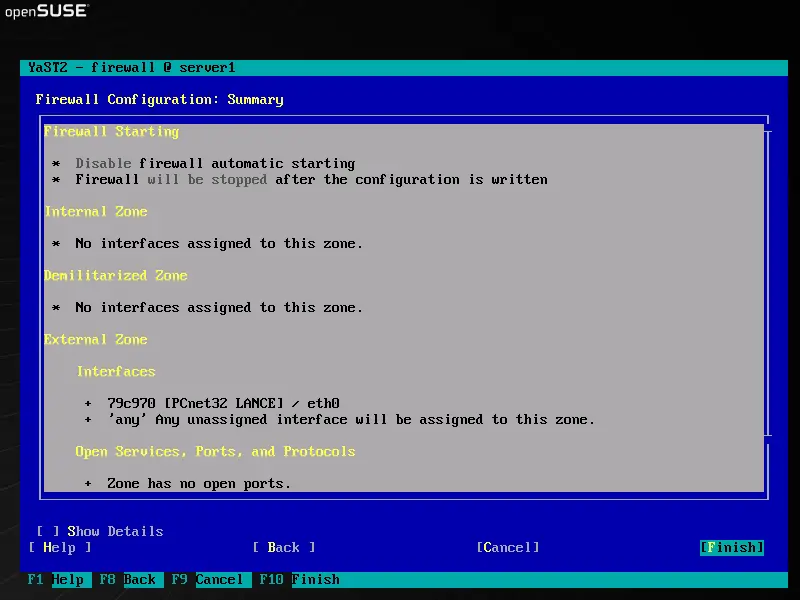
Hit Finish and leave Yast:
5 Install Some Software
Now we install a few packages that are needed later on. Run
yast2 -i findutils readline libgcc glibc-devel findutils-locate gcc flex lynx compat-readline4 db-devel wget gcc-c++ make vim telnet cron iptables iputils man man-pages
If you're on a 64-bit system (only then!), you must also do this:
cd /usr/lib
ln -s /usr/lib64/libssl.a libssl.a
ln -s /usr/lib64/libssl.so libssl.so
6 Quota
To install quota, run
yast2 -i quota
Edit /etc/fstab to look like this (I added ,usrquota,grpquota to the mountpoints / and /srv):
vi /etc/fstab
/dev/sda1 swap swap defaults 0 0 /dev/sda2 / ext3 acl,user_xattr,usrquota,grpquota 1 1 /dev/sda3 /srv ext3 acl,user_xattr,usrquota,grpquota 1 2 proc /proc proc defaults 0 0 sysfs /sys sysfs noauto 0 0 debugfs /sys/kernel/debug debugfs noauto 0 0 devpts /dev/pts devpts mode=0620,gid=5 0 0 |
Then run:
touch /aquota.user /aquota.group
chmod 600 /aquota.*
touch /srv/aquota.user /srv/aquota.group
chmod 600 /srv/aquota.*
mount -o remount /
mount -o remount /srv
quotacheck -avugm
quotaon -avug
Dont be worried if you see these error messages - they are normal when you run quotacheck for the first time:
quotacheck: WARNING - Quotafile //aquota.user was probably truncated. Cannot save quota settings...
quotacheck: WARNING - Quotafile //aquota.group was probably truncated. Cannot save quota settings...
quotacheck: Scanning /dev/sda2 [/] done
quotacheck: Checked 5286 directories and 45399 files
quotacheck: WARNING - Quotafile /srv/aquota.user was probably truncated. Cannot save quota settings...
quotacheck: WARNING - Quotafile /srv/aquota.group was probably truncated. Cannot save quota settings...
quotacheck: Scanning /dev/sda3 [/srv] done
quotacheck: Checked 7 directories and 4 files
7 DNS Server
Run
yast2 -i bind bind-chrootenv bind-devel bind-utils
Then we add the system startup links for BIND and start it:
chkconfig --add named
/etc/init.d/named start
Bind will run in a chroot jail under /var/lib/named.





